How to Install IPSW Without iTunes [2026 Easy Guide]
Learn how to install IPSW without iTunes in 2025. This guide covers IPSW file basics, pre-installation backups (using FoneTool), and a simple iTunes-free method to flash iOS firmware.


Can I install IPSW without iTunes?
Hey there, I’ve got an older iPhone 6s, and I’ve heard that iPhone install IPSW without iTunes. Is that possible? I’ve had some issues with iTunes lately. Any advice or tools that can help me do this without iTunes hassle?
- Question from an iPhone user
What Is An IPSW File?
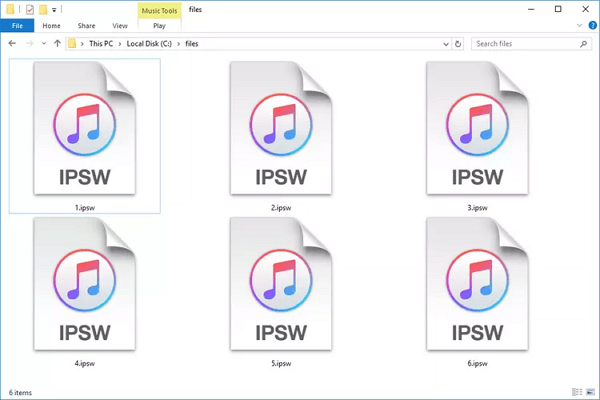
An IPSW file (iPhone Software File) is Apple's proprietary update format for iOS devices including iPhone, iPad, iPod touch, and Apple TV. These files function as encrypted archives containing everything needed to update or restore your device - from system files and firmware to recovery tools and security patches.
Before You Install IPSW - Backup Your iPhone!
Before installing any IPSW file, protecting your data is crucial. While iCloud and iTunes offer backup options, they often suffer from network-related failures and storage limitations.With FoneTool - a free and safe iPhone backup and transfer tool, you can make a full iPhone backup or selectively back up your data to meet your specific requirements.
This powerful iPhone data management tool is the best way to backup iPhone without iCloud or iTunes.
- Complete protection: Full device backup including contacts, messages, photos
- Offline security: No internet required - perfect for unstable connections
- Unlimited storage: Save to computer or external drives
- Encrypted safety: Password-protect your backup files
- Selective recovery: Restore specific files or entire backup

100% Secure
So, how to make a full backup of your iPhone via FoneTool? Now click the download button to install FoneTool on your PC and then follow the steps below.
Step 1. Connect iPhone to computer via USB > Launch FoneTool > Tap Trust on your device.
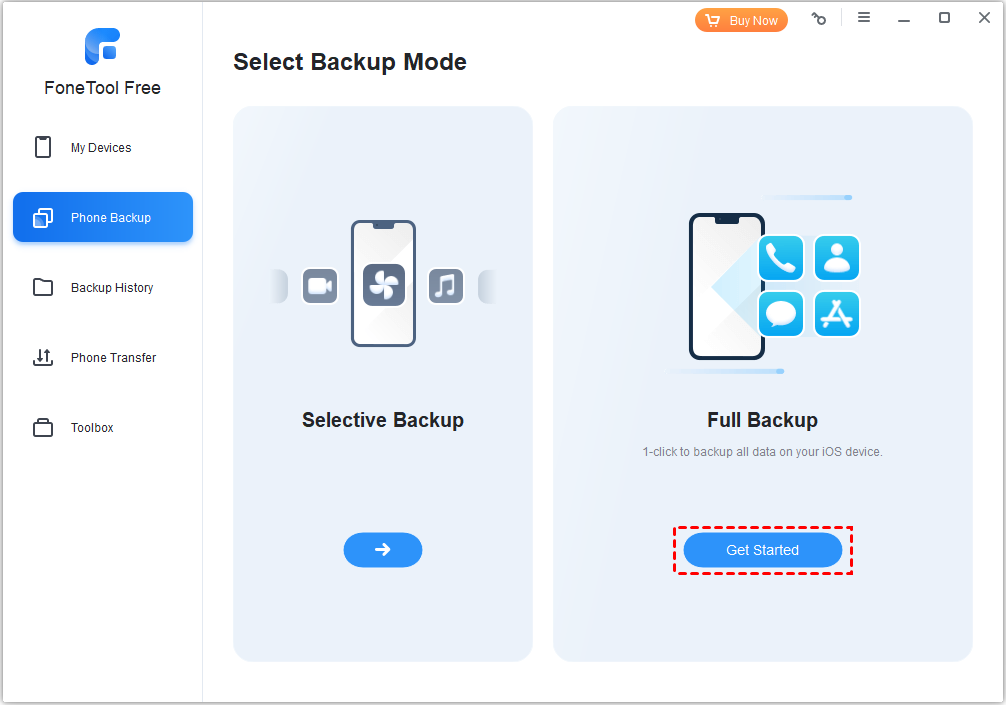
Step 2. Select Phone Backup > Full Backup > Get Started.
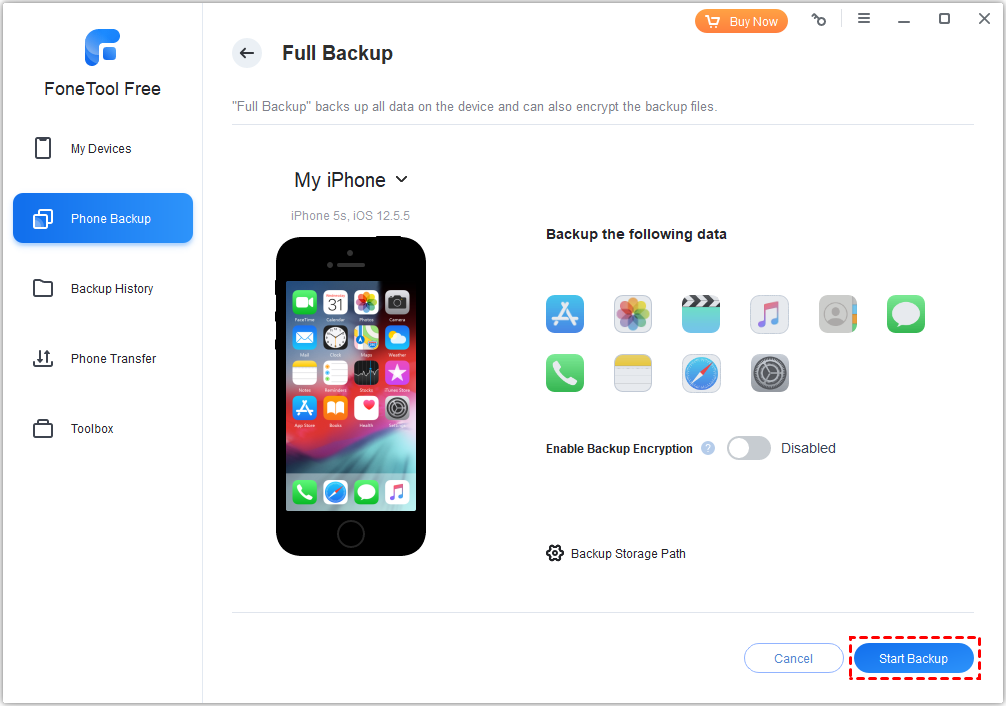
Step 3. Enable encryption > Choose storage location > Click Start Backup.
How to Install IPSW Without iTunes
When you need to install a specific iOS version or recover from system issues, IPSW files provide direct control over your device's software.
Steps to Download the Correct IPSW File
Step 1. Visit ipsw.me (official IPSW repository) > Select your specific device model.
Step 2. Choose currently signed firmware versions only
📝Note: Apple only allows installation of signed IPSW files. Installing unsigned versions may brick your device.
Steps to Use Professional Tools to Install IPSW
Step 1. Download reputable IPSW installation software > Connect your iPhone to computer.
Step 2. Select downloaded IPSW file > Follow on-screen instructions.
Step 3. Wait patiently for installation completion.
The Bottom Line
The official way to install an IPSW file is using iTunes, which conveniently hosts current and past iOS versions tailored to your device’s compatibility. However, many iOS users are looking for a way to install IPSW without iTunes. But don’t worry, this post covers an easy way to do that. Remember to use FoneTool to back up your iPhone in advance. Download FoneTool and use it right now!
Frequently Asked Questions
FoneTool - All-in-one iPhone Data Manager
Transfer, backup and manage data on iPhone, iPad and iPod touch in an easy way.
-
 iOS 27 Compatible
 iPhone 17 Supported
Windows 11/10/8/8.1/7

100% Secure

Kelsey is an English editor at FoneTool, passionate about helping users solve tech issues. She specializes in iPhone data management, backup, and recovery. In her free time, she enjoys learning IT skills and spending time with loved ones.
Read author info >>



 as a preferred
source on Google
as a preferred
source on Google