How to Remove Activation Lock on iPad: 4 Useful Ways
Learn how to remove Activation Lock on your iPad. This guide covers the official methods via Settings and iCloud, plus a professional tool solution for when you don't have the Apple ID password.


How to remove activation lock on iPad without Apple ID and password?
How to get rid of activation lock if Apple ID is unknown? I have an old iPad that I gave to a friend a few years ago, it comes up with an activation lock, my friend has no idea what her password or I’d is or was. All I want is to start it up to give it away.
- Question from Apple Community
The Activation Lock on iPhones is a security feature designed to prevent unauthorized access and usage of your device without your Apple ID. This feature is particularly useful if your phone is lost or stolen, as it keeps your data secure. However, it can become problematic if you forget your Apple ID or password or if you acquire a second-hand iPhone with Activation Lock enabled.
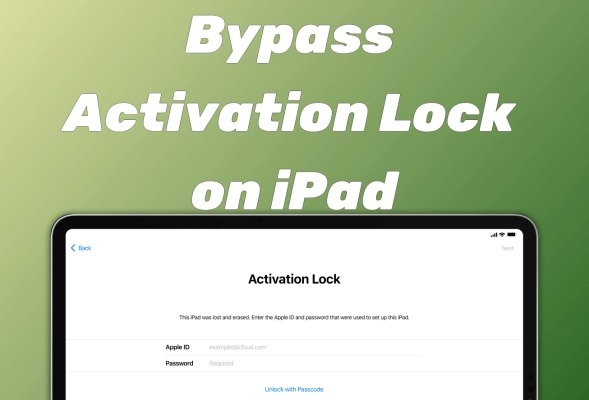
Can you remove Activation Lock without previous owner?
To regain full access to your device, it’s important to understand how to remove Activation Lock on an iPhone. Luckily, you can delete the Activation Lock without previous owner.
In this guide, we’ll walk you through the steps to remove the lock from your iPhone or iPad. Whether you're troubleshooting your own device or helping someone else, this information can be extremely valuable. Keep reading to learn more.
Method 1. How to remove activation lock on iPad via Settings
The first effective way to remove Activation Lock from an iPad is by restoring the device to its original state. This process erases all content and settings, effectively disabling the Activation Lock. So you may need to back up iPad data first.
However, you’ll need the Apple ID and password initially used to set up the device to complete this process. This method can also help if you’re trying to remove Activation Lock without the previous owner's assistance.
Step 1. Open the Settings app on your iPad.
Step 2. Go to General > Reset > Erase All Content and Settings > Enter the Apple ID password when prompted.

Once the process is complete, your iPad will restart, and you can set it up without encountering the Activation Lock screen.
Method 2. How to bypass Activation Lock on iPad via iCloud
If you’re not the original owner of the Activation-Locked iPad, you’ll need the previous owner’s help to unlock it remotely via iCloud. Here’s how the iCloud method can be used to remove the Activation Lock for free:
Step 1. Open a web browser on a computer and go to iCloud.com.
Step 2. Log in using the Apple ID and password associated with the iPad.
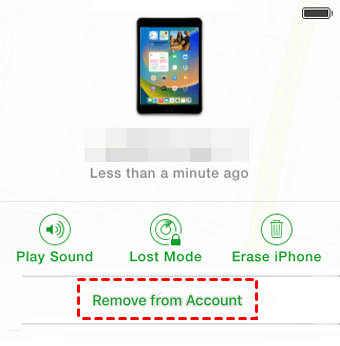
Step 3. Navigate to Find My iPhone, then select All Devices and choose the iPad from the list.
Step 4. Click on Erase iPad and then select Remove from Account to finalize the process > Once done, restart the iPad, and you’ll be able to set it up without the Activation Lock screen.
Method 3. How to remove activation lock on iPad via a professional tool
The methods above require either your password or the previous owner's cooperation. But what if that's not possible? In cases where the Apple ID and password are unknown, and the original owner is unavailable, a third-party tool like FoneTool Unlocker provides a practical solution. Its Remove iCloud Activation Lock function is specifically designed to bypass this screen without any prior credentials.
- Highlights:
- · Delete iPad/iPhone screen passcodes without entering, including 4-digit and 6-digit codes, Touch ID, and Face ID.
- ·A success rate of up to 99.99% enables you to effortlessly unlock various iOS devices, even the latest iPad and iPhone.
- · Bypass the Screen Timerestrictions for your restrictedapps on iPad to allow you to regain full control of your device.
- · Remove iCloud activation lock/Apple ID from your iOS deviceseven if you don't know or have forgotten the password, which helps you to easily link a new one.
Now you can download FoneTool Unlocker on your Windows computer and connect your iPhone to the PC via a USB cable to operate at ease.
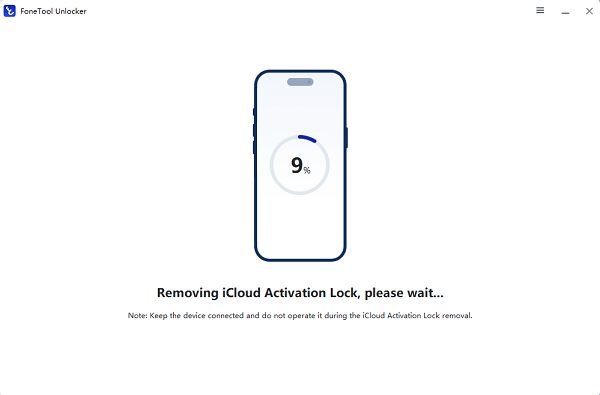
Step 1. Launch FoneTool Unlocker > Connect your iPad to the computer via a USB cable.
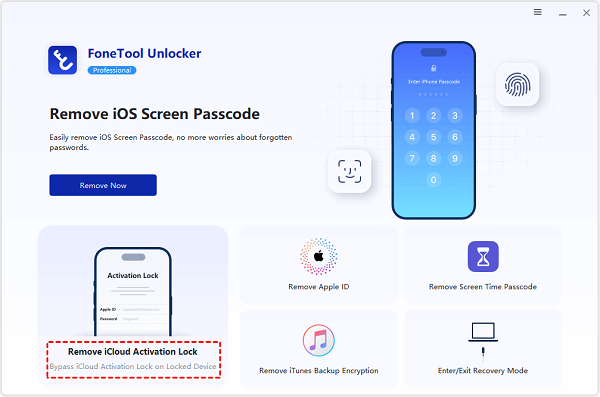
Step 2. Go to Remove iCloud Activation Lock.
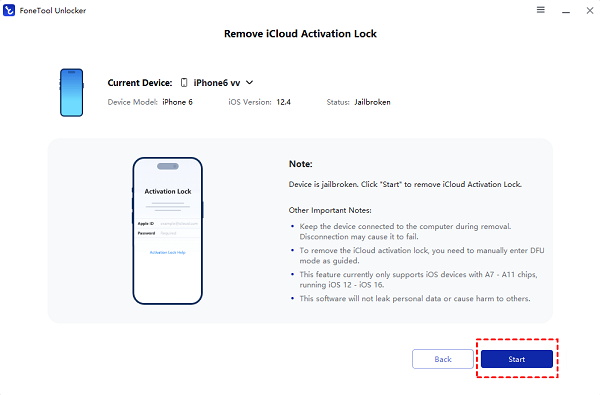
Step 3. Confirm the on-screen instructions and click Start tobegin the unlocking operation.
Step 4. Once finished, the Activation Lock will be removed, and you can set up the iPad as new.
Method 4. Remove activation lock on iPad with Apple Support
The most reliable way to remove the Activation Lock is by reaching out to Apple Support. However, this approach isn’t guaranteed, as Apple may decline your request. Alternatively, you can try using a DNS bypass to bypass the Activation Lock, though its effectiveness varies depending on the device.
FAQs on iPad Activation Lock removal
Conclusion
This guide has outlined the primary ways to remove Activation Lock on an iPad. You can use the built-in Settings erase function if you know the password, or request help via iCloud from the previous owner. For situations where these options are not viable, a professional tool like FoneTool Unlocker offers a direct and effective solution to bypass the iCloud Activation Lock and restore your iPad to usable condition.
FoneTool Unlocker - 1-Click iPhone Unlock Software
Easily unlock all passcodes and restrictions on your iPhone, iPad, and iPod Touch.
-
 iOS 27 Compatible
 iPhone 17 Supported
100% Secure

Kathy is an editor of FoneTool, who prefers to help more users address a series of iOS-related problems. She likes traveling and being close to nature makes her relax. She is also keen to engage in social activities and spend much free time with her friends.
Read author info >>



 as a preferred
source on Google
as a preferred
source on Google