How to Remove Carrier Lock on iPhone [Full 2026 Guide]
How to remove carrier lock on iPhone easily. Official carrier unlock methods, eligibility requirements, plus third-party options when you can't reach your original provider.


You want to use a different SIM card, maybe for travel or a cheaper carrier, but your iPhone says "SIM Not Supported". That means your phone is carrier-locked. You need to remove carrier lock on iPhone to make it work with any network.
Below you'll find every legit method: free official carrier unlocks, third-party IMEI services, and how FoneTool Unlocker helps if a forgotten screen passcode is blocking your access.
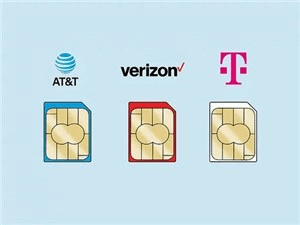
First, Check If Your iPhone Is Actually Carrier-Locked
Before diving into solutions, confirm what you're dealing with. You don't want to spend hours on a problem that doesn't exist.
Step 1. Open Settings on your iPhone.
Step 2. Tap General > About.
Step 3. Scroll down to Carrier Lock.
- If you see "No SIM restrictions", your iPhone is already unlocked. You're done. Insert any SIM and go.
- If you see "SIM locked"or any carrier name (like AT&T, Verizon, or T-Mobile), your device is carrier-locked and you'll need to remove carrier lock on iPhone before switching networks.
- ★Tip:
- One more way to check, borrow a SIM card from a different carrier. Pop it into your iPhone. If you see a "SIM Not Supported"or "SIM Not Valid"error, your iPhone is locked to its original network.
What Does "Carrier Lock"Actually Mean?
When a phone is carrier-locked, it means the manufacturer (Apple) has programmed the device to only accept SIM cards from one specific mobile network.
Carriers do this for a simple reason: they sell iPhones at discounted prices or on installment plans. Locking the phone to their network ensures you stick around long enough for them to make their money back.
Once you've paid off the device and met their service requirements, they're supposed to let you remove carrier lock on iPhone for free. U.S. carriers are legally required to unlock eligible devices at no cost.
Method 1. Contact Your Carrier for a Free Official Unlock
This is the safest and most permanent way to remove carrier lock on iPhone. It's free, and it works across all software updates.But you have to meet your carrier's eligibility requirements first.
General Requirements (Most Carriers)
- Before any carrier will approve your unlock request, you'll need:
- The iPhone is fully paid off (no remaining installment balance)
- Your account is in good standing (no overdue bills)
- The device hasn't been reported as lost or stolen
- The iPhone has been active on their network for a minimum period
- You are the original owner or have the account holder's permission
AT&T Unlock Policy & Steps
AT&T will unlock your iPhone for free once the device is fully paid off and has been active on their network for at least 60 days. The phone also must not be reported as lost or stolen.
Step 1. Find your iPhone's IMEI number. Go to Settings → General → About and scroll down to IMEI. Or dial *#06# on your keypad.
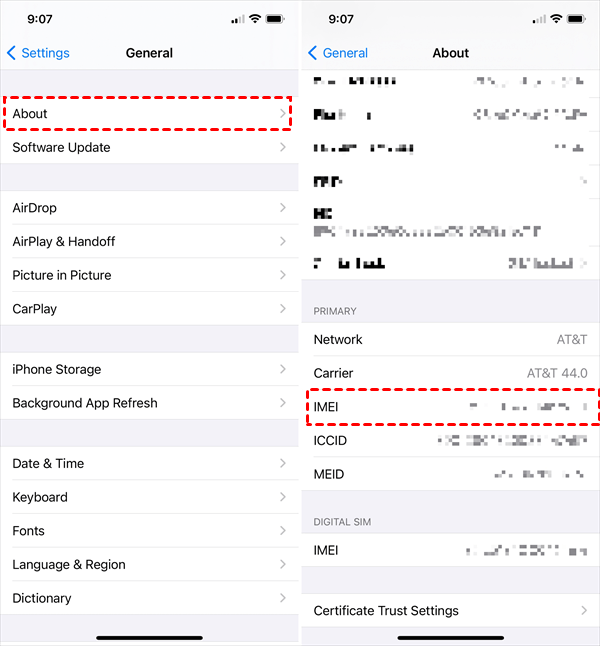
Step 2. Visit AT&T's device unlock website.
Step 3. Click "No"when asked if you're an AT&T customer (if you no longer have an account), then enter your IMEI number.
Step 4. Follow the on-screen instructions. AT&T will review your request and email you within a few days.
Once approved, the unlock is applied remotely. Insert a different carrier's SIM card to complete the process.
TMobile Unlock Policy & Steps
T-Mobile's unlock policy is among the most consumer-friendly. Postpaid devices are eligible after 40 days of active service on their network. The device must be fully paid off, and the account must be in good standing.
Step 1. Log into your T-Mobile account online.
Step 2. Select the line associated with your iPhone.
Step 3. Click "Check device unlock status"under the Device section.
Step 4. If the status shows "device locked", contact T-Mobile Customer Care by calling 611 from your T-Mobile phone.
T-Mobile processes most unlock requests automatically within two days after eligibility is met.
Verizon Unlock Policy
Verizon has a unique approach. Devices purchased from them are locked for 60 days after purchase. After that, they remove carrier lock on iPhone automatically, you don't need to do anything.
However, Verizon changed its policy in 2026. For devices activated on or after January 20, 2026, you may need to request the unlock after 365 days of paid active service. Check your device's activation date with Verizon customer support if you're unsure.
What If You Can't Meet the Requirements?
This is where many people get stuck. Maybe you bought a used iPhone from someone who never paid off the device. Maybe you no longer have access to the original carrier account. Or maybe the previous owner disappeared.
If you can't go through your carrier because you don't meet the requirements or can't contact the original owner, read on. There are other ways to remove carrier lock on iPhone, but you need to be careful.
Method 2. When a Screen Passcode Also Blocks You
You buy a used iPhone. It's carrier-locked and the previous owner left their screen passcode. You can't even open Settings to check anything.Before you remove carrier lock on iPhone, you need to clear that screen lock.
FoneTool Unlocker removes screen passcodes (4/6-digit, Face ID, Touch ID) from a computer, no password needed. Once the screen lock is gone, you can access the iPhone and request a carrier unlock.
Step 1. Download and install FoneTool Unlocker on a Windows PC or Mac.Connect your locked iPhone via USB.
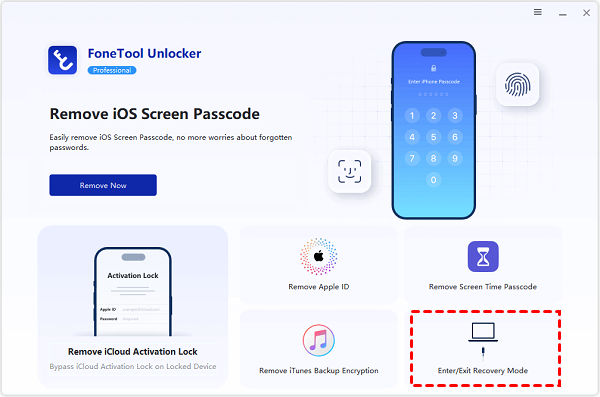
Step 2. Launch the tool and select "Remove iOS Screen Passcode".

Step 3. Put your iPhone into Recovery Mode (follow onscreen instructionsor use the Enter/Exit Recovery Mode feature).
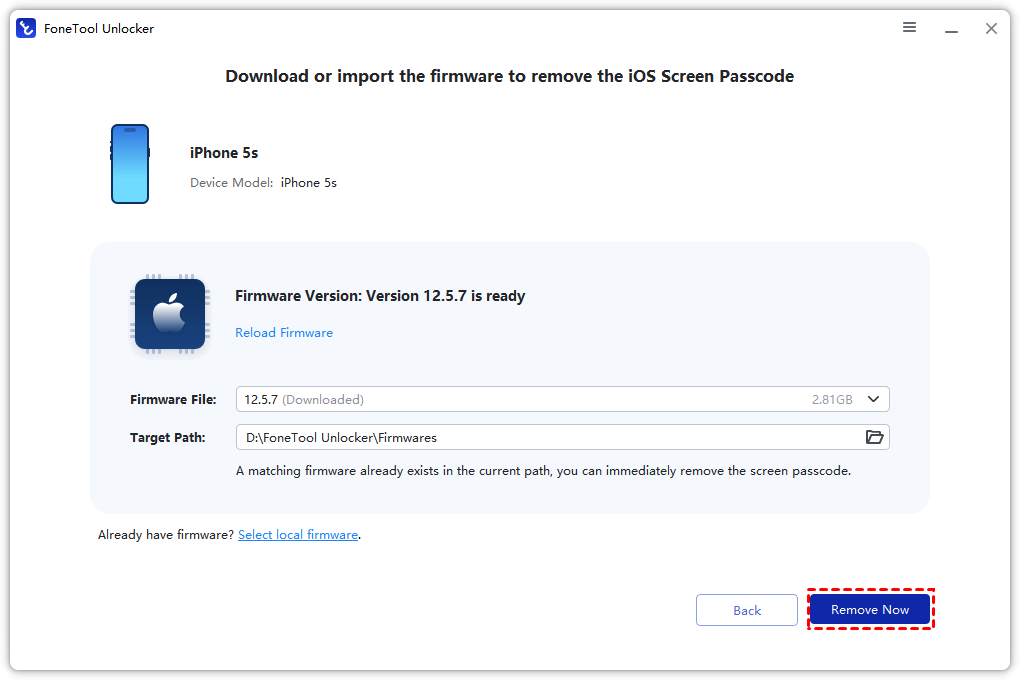
Step 4. Click Download to get the firmware, and then click "Remove Now". Wait ~5 minutes. Your iPhone restarts with no screen passcode.
Method 3. Third-Party IMEI Unlock Services
When your carrier refuses (unpaid balance, not original owner, etc.), third-party IMEI unlock services are your next option. They submit unlock requests to the carrier using your IMEI. If approved, Apple's servers update your lock status remotely.
How to Choose a Safe IMEI Unlock Service
- Refund guarantee if unlock fails
- Positive independent reviews (Trustpilot)
- Secure payment (no wire transfers)
- Only needs your IMEI, never your Apple ID password
Expect to pay $15–$50. Processing takes hours to 7 days.
What to Do After Paying for an Unlock
Step 1. Provide your iPhone's IMEI number to the service (found in Settings → General → About).
Step 2. Wait for confirmation that the unlock has been processed by the carrier.
Step 3. Once you receive the confirmation, insert a SIM card from a different carrier.
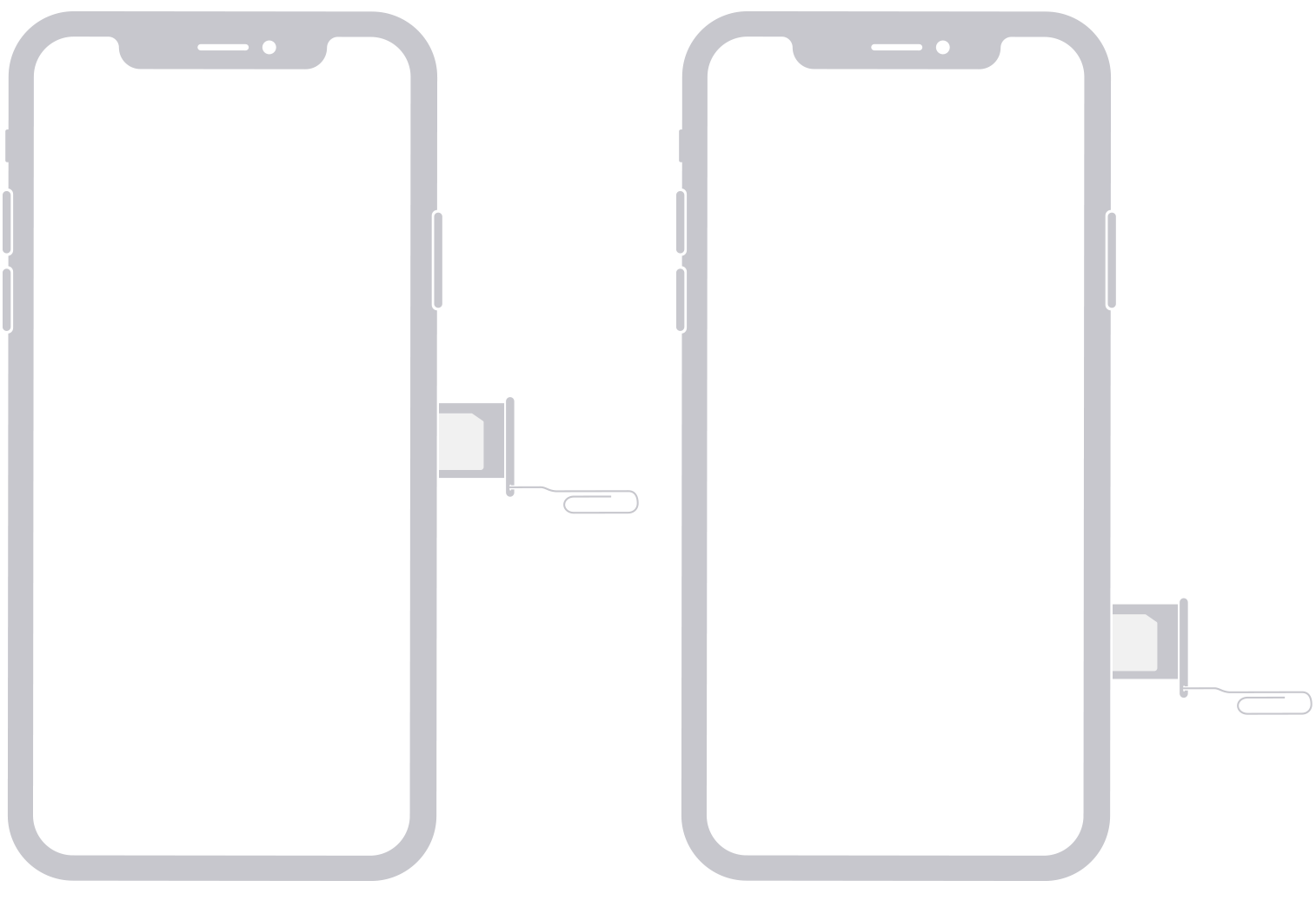
Step 4. Connect your iPhone to Wi-Fi. The device will contact Apple's activation servers and update its lock status automatically.
Step 5. Go to Settings → General → About and check the Carrier Lock section. It should now say "No SIM restrictions".
Method 4.Using a Different SIM Card (The "Test"Method)
Sometimes you don't need to do anything at all. Your iPhone might already be unlocked, but the status hasn't updated yet.
Step 1. Turn off your iPhone.
Step 2. Remove your current SIM card.
Step 3. Insert a SIM card from a different carrier.
Step 4. Turn your iPhone back on and connect to Wi-Fi.
If the phone activates successfully and you see signal bars, your iPhone is unlocked. If you see "SIM Not Supported",you still need to remove carrier lock on iPhone through one of the methods above.
This is also a great way to test whether a third-party unlock service actually worked before you leave a review.
How to Remove Carrier Lock Without the Original SIM
A common question: "I lost the original carrier's SIM card. Can I still remove carrier lock on iPhone?"
Yes. The unlock request is tied to your iPhone's IMEI number, not the physical SIM card. You can request an unlock through the carrier's website or customer service without having their SIM in the phone. You'll need the IMEI and your account details (or the previous owner's account info if you bought it used).
For third-party IMEI services, you don't need any SIM card at all, just the IMEI number and an internet connection.
FAQs About Carrier Lock Removal
Only through your original carrier after meeting eligibility (phone paid off, account in good standing, minimum service period).
Yes, but only through paid third-party IMEI services. They submit the request for you.
Official: 1–7 days. Third-party: hours to 7 days.
No. Official and third-party IMEI unlocks are legitimate and don't void Apple's warranty. Jailbreaking to bypass a lock will void it.
Yes. That error means you need to remove carrier lock on iPhone before that SIM works.
No. The lock applies to both physical SIMs and eSIMs.
Carriers won't unlock it. Options: (1) ask previous owner to pay off and unlock, (2) try a third-party IMEI service (no guarantee), (3) return the device if possible.
Summary
To remove carrier lock on iPhone, first check your status in Settings. If locked, contact your original carrier, free and permanent. If you're ineligible (used phone, unpaid balance), use a reputable third-party IMEI service. If a forgotten screen passcode is in your way, FoneTool Unlocker clears it first.
💡 Stuck with a screen-locked, carrier-locked iPhone? Try FoneTool Unlocker to remove the passcode, then unlock the carrier.
FoneTool Unlocker - 1-Click iPhone Unlock Software
Easily unlock all passcodes and restrictions on your iPhone, iPad, and iPod Touch.
-
 iOS 27 Compatible
 iPhone 17 Supported
100% Secure

Kelsey is an English editor at FoneTool, passionate about helping users solve tech issues. She specializes in iPhone data management, backup, and recovery. In her free time, she enjoys learning IT skills and spending time with loved ones.
Read author info >>



 as a preferred
source on Google
as a preferred
source on Google