FRP Hijacker by Hagard Tutorial - Complete Guide
This guide explains how to evaluate FRP Hijacker by Hagard tutorial content, where the tool is limited, and why FoneTool Unlocker can be a clearer alternative for eligible Samsung FRP cases.


Overview of FRP Hijacker by Hagard
Factory Reset Protection, usually called FRP, is an Android security feature that can appear after a factory reset when a phone asks for the previously synced Google account. FRP Hijacker by Hagard became widely searched because older GSM repair communities discussed it as a Windows-based option for certain Samsung FRP cases. Many users still look for an FRP Hijacker by Hagard tutorial when a second-hand device, family phone, or older handset stops at Google verification after reset.
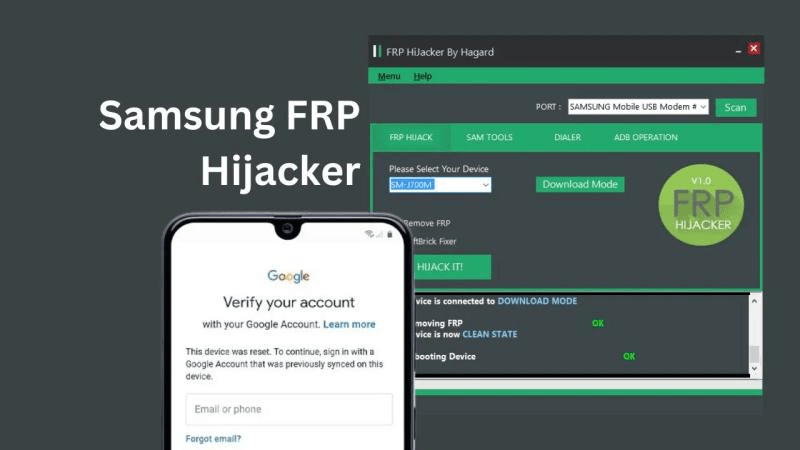
The important question is not whether the name is familiar. The real question is whether the tutorial matches your exact Samsung model, Android version, firmware, security patch level, USB driver state, and lock screen. A method that worked years ago may fail on a newer build or on a device with a different chipset.
If FRP Hijacker does not work on your phone, or it requires an FRP Hijacker by Hagard password, but you don't have one, there is also a simpler Samsung FRP bypass tool for Google account verification.
How to Download & Use FRP Hijacker Tool
You can follow the step-by-step guidelines below for FRP bypass on Samsung devices.
Step 1. Download FRP Hijacker
Obtain a compatible FRP Hijacker package from a trustworthy source. The tool may be distributed as a RAR or ZIP archive. Extract the archive using an appropriate file-extraction utility and locate the executable file.
If the archive is password-protected, use the extraction password provided by the legitimate download source. Avoid using modified or repackaged copies from unknown websites.
Step 2. Launch the Tool
After extracting the files, open the FRP Hijacker executable on your Windows computer. Depending on the release, Windows may display a security warning or require administrator privileges.
Step 3. Connect Your Samsung Device
Connect the Samsung phone to the computer with a compatible USB cable. Make sure the computer can properly detect the device and that you have permission to service it.
Step 4. Select the Device Model
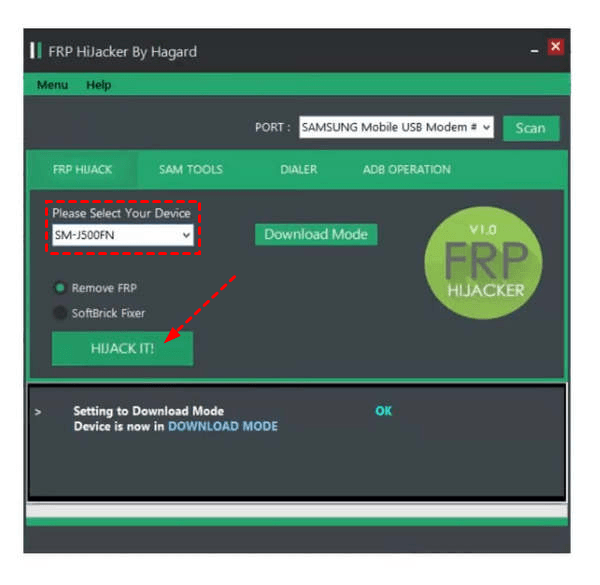
Click on Scan to let FRP Hijacker recognize the connected device and select the appropriate model from the available options.
Step 5. Review the Available Functions
FRP Hijacker may display functions such as Remove FRP and SoftBrick Fixer. Select the appropriate function, follow the prompts provided by the software, and wait for the operation to finish.
Limits of FRP Hijacker
Although there are numerous discussion threads regarding FRP Hijacker by Hagard, it is important to note that it still has some drawbacks that cannot be overlooked.
- Compatibility can change: model, Android version, firmware, patch level, and device state all affect the result.
- Source quality is uncertain: mirrored files and password archives can be unsafe or outdated.
- Tutorials may be stale: screenshots from older builds may not match the current setup screen.
- No result is guaranteed: failure usually means the method and the device state do not match.
Safer Alternative to FRP Hijacker - FoneTool Unlocker
FoneTool Unlocker is a safer FRP Hijacker alternative for users who want a simpler and clearer solution for Samsung FRP unlocking. Features that make FoneTool Unlocker a stronger FRP hijacker tool include:
- 🔸 Samsung FRP Bypass: Remove Google FRP lock from supported Samsung devices.
- 🔸 Wide device and OS support: Supported paths across Android 6 to Android 16, and Samsung Galaxy S26, S25, S24, and selected S, A, M, Z, Fold, and Flip series models.
- 🔸 USB Connection: Connect the Samsung device to a Windows PC via USB simply.
- 🔸 System Requirements: Compatible with Windows 11, 10, 8.1, 8, and 7, and supports Android OS 6 through 16.
- 🔸 Simple operation: USB connection between the Samsung device and a Windows PC, without complicated ADB commands or rooting.
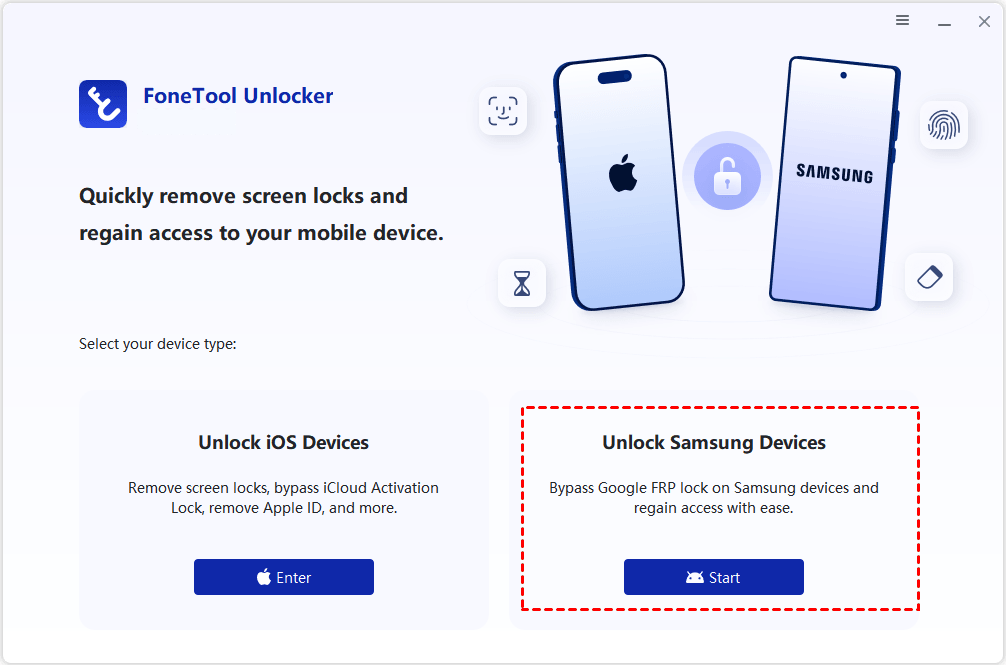
Step 1. Open FoneTool Unlocker on a Windows PC and run the Unlock Samsung Devices tool.
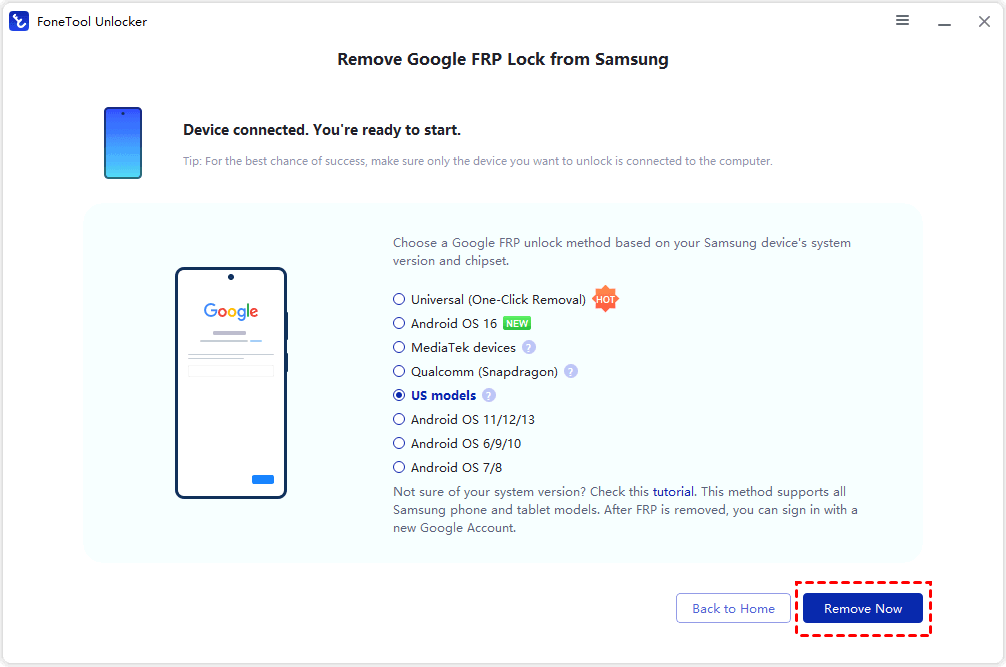
Step 2. Connect the FRP-locked Samsung device by USB and select the Google FRP unlock method based on your own system version and chipset. Click Remove Now and wait for the software to complete.
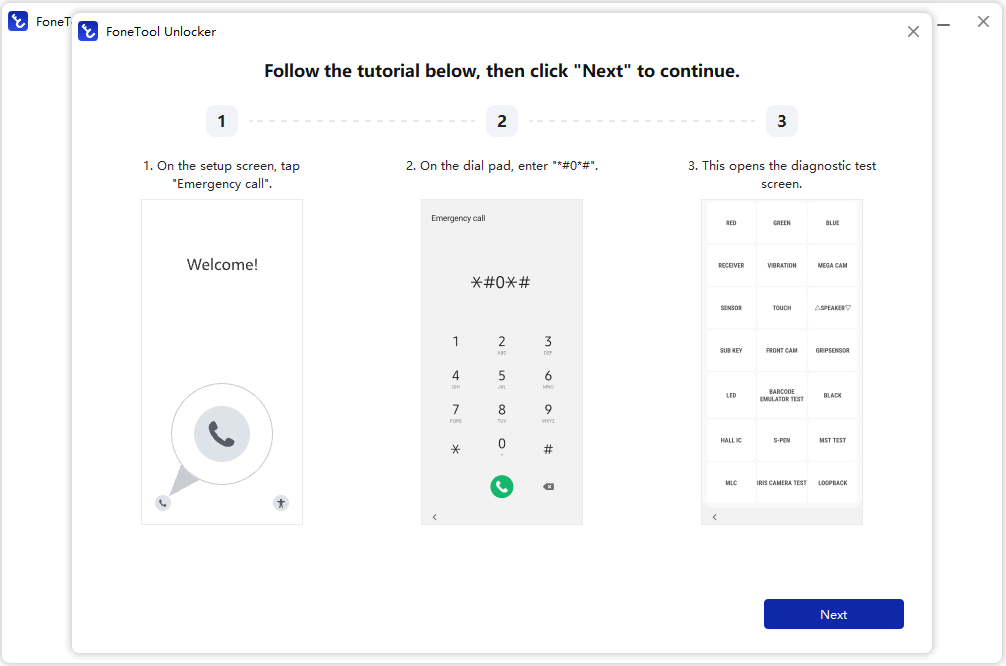
Step 3. During the removal process, the system will prompt you to perform specific actions on your Samsung phone. Tap Emergency Call on the phone’s screen, enter a specific code (such as *#0*#) to access the hidden menu, and enable Test Mode. Once you've completed these steps, click Next on your computer.
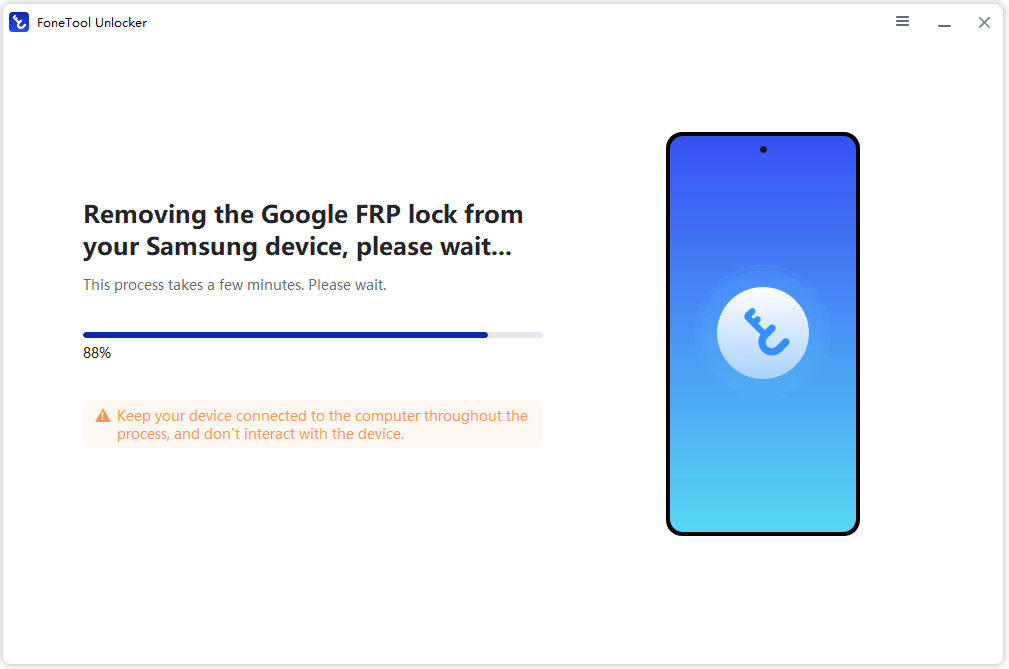
Once authorization is complete on the device, FoneTool Unlocker will automatically begin the FRP lock removal process. Please wait for the progress bar to complete. When the software interface displays Removal Complete, the device will automatically bypass the Google account verification screen.
FAQs about FRP Hijacker by Hagard
#1. Is FRP Hijacker by Hagard tutorial content still useful?
Yes, it can still help users understand older Samsung FRP methods, but it should not be treated as current universal guidance.
#2. Is the FRP Hijacker tool safe to download?
It depends on the source. Reposted archives, bundled installers, and unclear password-protected files should be treated as risky.
#3. Can FRP Hijacker bypass Google account verification on all Samsung phones?
No. Results depend on the exact Samsung model, Android version, firmware, security patch, and device condition.
#4. Why do many FRP Hijacker tutorials fail?
Many fail because they were made for older devices or because the phone, driver, firmware, or setup screen no longer matches the guide.
#5. Is FoneTool Unlocker a better FRP Hijacker alternative?
It is usually better for users who want a guided process for selected supported Samsung devices instead of an archive-based legacy tool. The table below summarizes the practical difference between the two options:
|
Option |
Best for |
Main advantages |
Limits |
|
FRP Hijacker by Hagard |
Experienced users reviewing older Samsung FRP methods. |
Familiar legacy name, PC-based use, and many old public tutorials. |
Outdated instructions, mirror-download risk, password archives, and uncertain newer-device support. |
|
FoneTool Unlocker |
Users who want a guided FRP Hijacker alternative for selected Samsung devices. |
Structured Windows process, Samsung FRP focus, clearer checks, and easier evaluation. |
Still requires model and device-state checks; |
Summary
AnFRP Hijacker by Hagard tutorial can be useful when you are researching older Samsung FRP options, but it should be approached with realistic expectations and careful source checks. Confirm the device state, try legitimate recovery first, and avoid unclear downloads or password-chasing habits. If your Samsung phone is eligible and you want a cleaner Windows-based solution, FoneTool Unlocker is the more practical alternative to review before spending more time on old tutorials.
FoneTool Unlocker - 1-Click Phone Unlock Software
Easily remove passcodes and restrictions from iPhone, iPad, iPod touch, and Samsung devices.
-
 iOS 27 Compatible
 iPhone 18 Supported
-
Samsung FRP Removal
100% Secure

Jona is an expert in mobile data backup and transfer, phone unlocking, and resolving iPhone issues. She maintains a sharp insight into the latest technology trends, ensuring that the information she provides stays current with industry developments.
Read author info >>



 as a preferred
source on Google
as a preferred
source on Google