How to Fix When iOS 26/18 Not Installing: Top & Full Guide
If iOS 26/18 can't install on your iPhone successfully, just get ways in this passage, and the professional iOS system repair software mentioned in Solution 4 might be your best choice!


The release of iOS 18 has brought a new user experience to many iPhone users. However, some users have encountered issues with installing the new system and found that iOS 26/18 cannot be installed properly. What could be the reason for this situation, and how can it be solved? Find answers in the following guidance!
Why iOS 26/18 not installing?
The issue can be caused by some reasons below.
❌️ Bad internet connection: Large downloads may require a minimum download speed.
❌️ Device compatibility: Your device may not support the latest software.
How to fix iOS 26/18 not installing on new iPhone
Now you can get the solutions below to get how to fix the issue on your iPhone right now.
Solution 1. Check iPhone storage
Firstly, you can check your iPhone storage to confirm the details. Just go to Settings > General > Storage. You'll need at least 10 GB of free storage space to install them.
Solution 2. Check network and battery level
iOS update can take dozens of minutes, so it needs a stable and strong Internet connection and at least 50% of battery level to download and install the iOS 18. So, we suggest you perform this process at home because usually the updating won't be interrupted by weak network/Wi-Fi or low battery level.
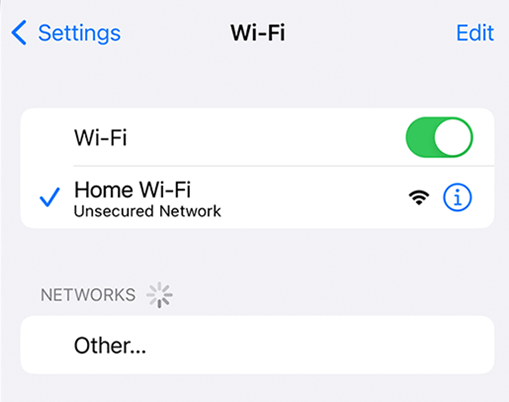
Please connect your iPhone with a charger if the battery level is low. And you can connect a Wi-Fi to make sure the network conditions, you can just go to the Settings app > Tap Wi-Fi > Choose a trusted and powerful Wi-Fi.
Solution 3. Check your device compatibility
iOS 18 only supports iPhone XR and later models / iPhone SE 2nd generation or later models. So if you are using an iPhone X or older model, then you can install iOS 18 successfully.
Solution 4. Best alternative - Fix installation issues with FoneTool Repair
If all the basic methods fail to resolve the iOS 26/18 installation problem, the issue might be related to deeper system errors that require professional repair. FoneTool Repair specializes in fixing such installation failures and provides a reliable way to update your iOS system successfully.
This powerful iOS system repair tool is the best way to fix iOS/iPadOS issues without data loss
Now you can download FoneTool on your computer and learn from the steps below to update your iPhone to the latest iOS 26/18.
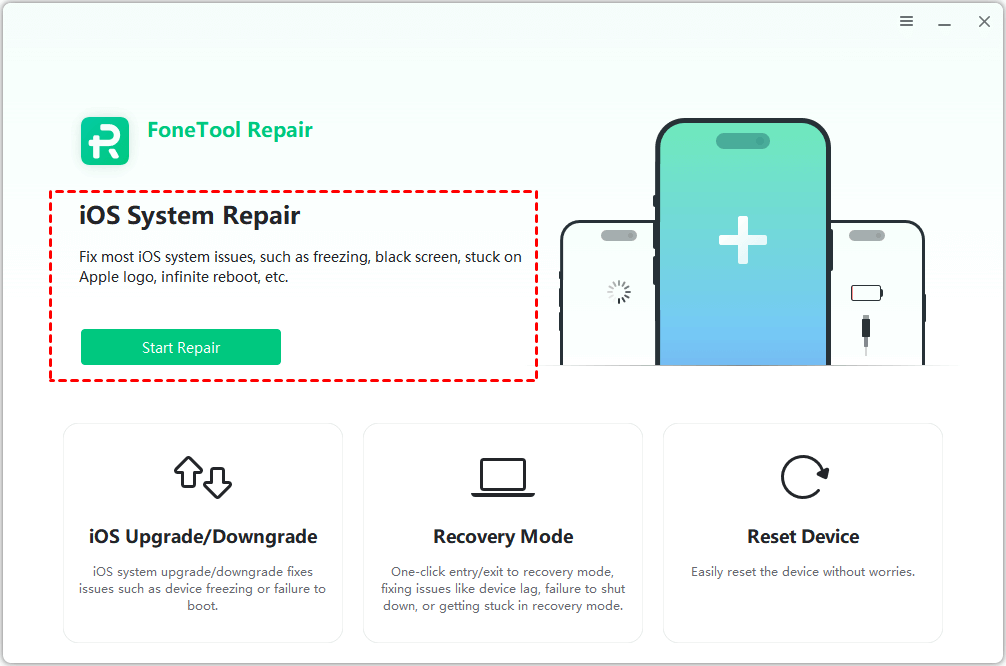
Step 1. Connect your iPhone to the computer > Launch FoneTool Repair > Choose iOS System Repair to continue.
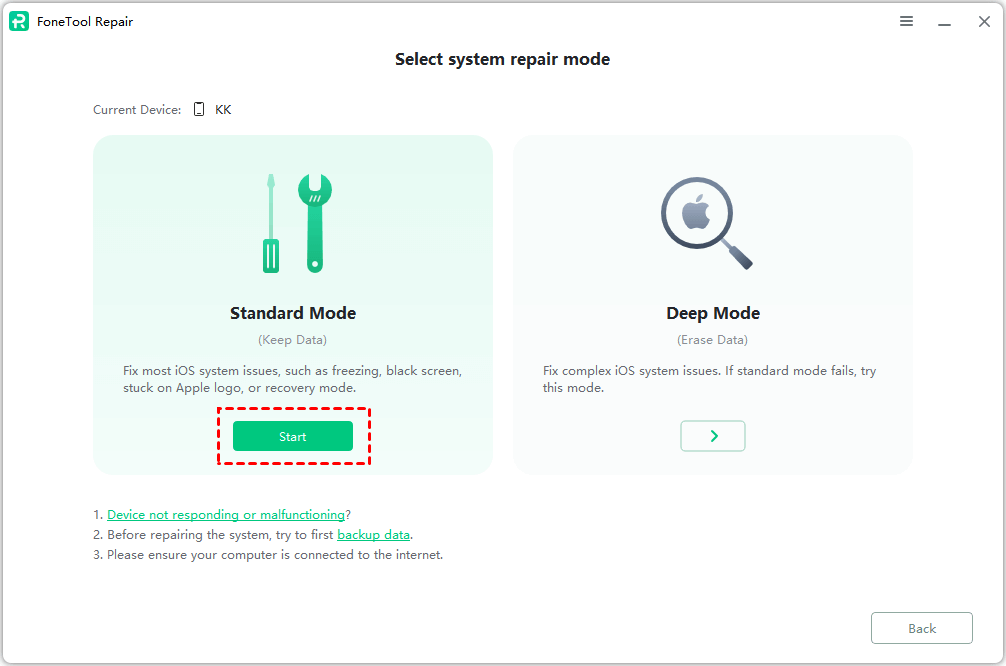
Step 2. Choose Standard Mode to preserve your data or Deep Mode to fix more difficult problems.
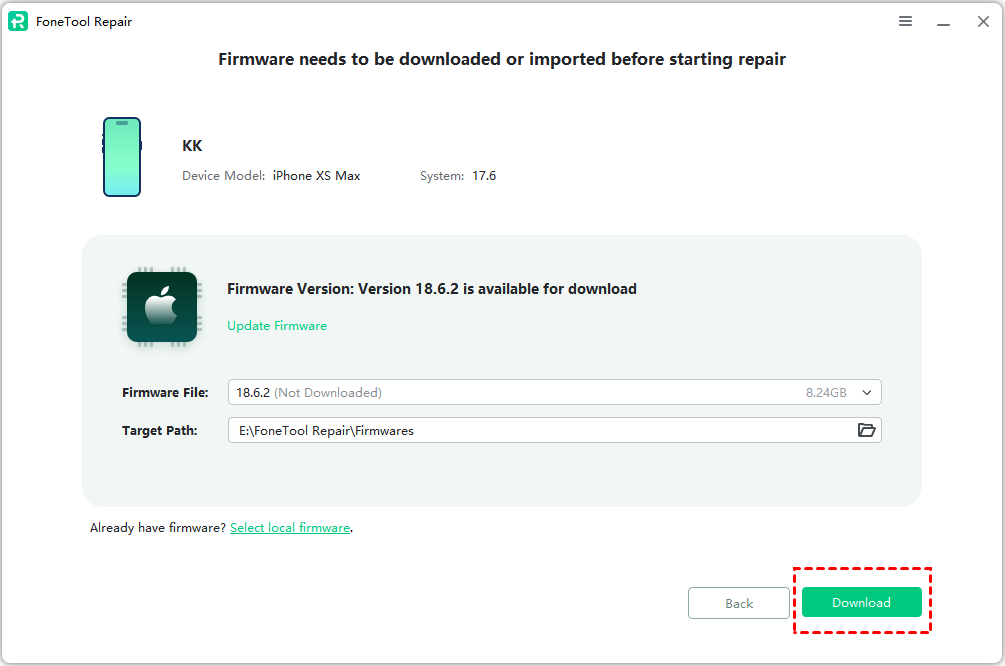
Step 3. Choose the firmware version you need > Change the storage path from the Target Path option > Click Download to get the firmware.
Step 4. Once the download process is finished, just click Start Repair to begin the task.
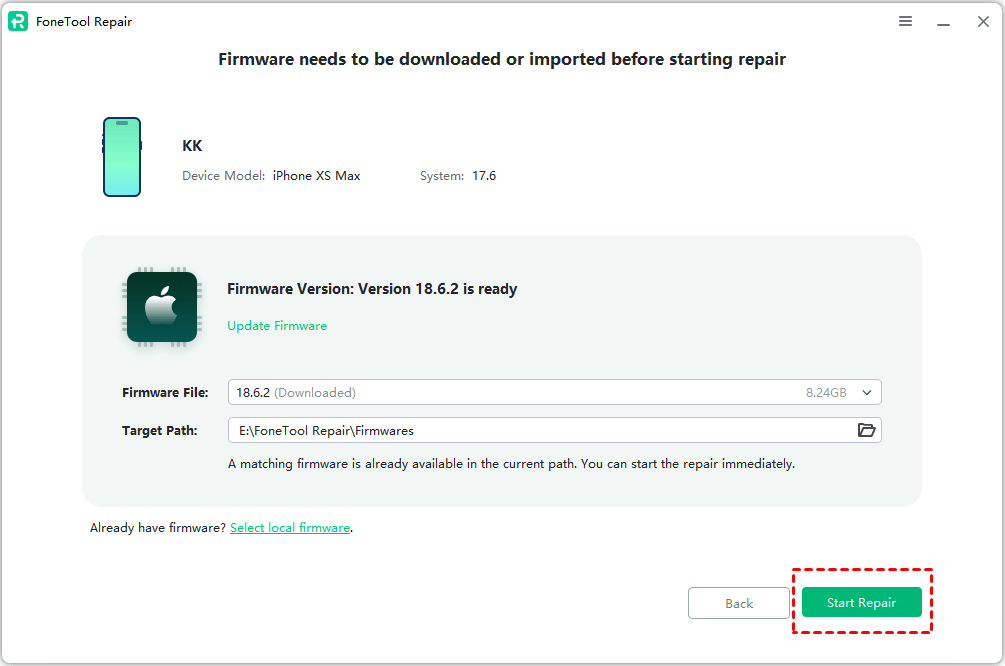
💡💡FoneTool Repair not only helps you install iOS 26 successfully but also fixes underlying system issues that might be causing the installation failure, and easily upgrade iOS version like iOS 26 without error. Its advanced repair capabilities ensure a smooth and hassle-free update experience.
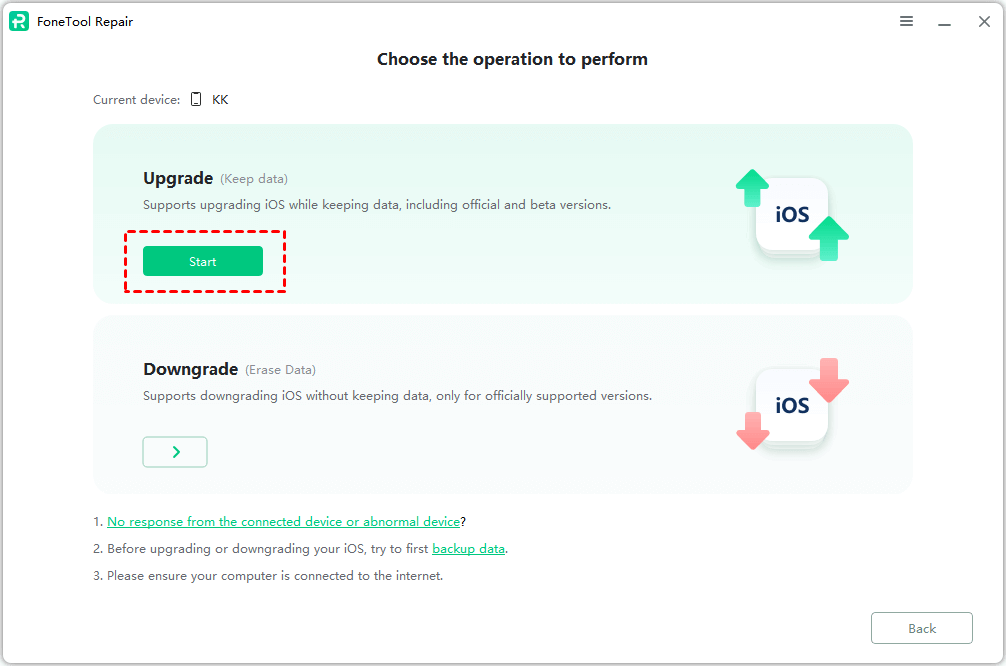
Conclusion
Now you can know how to fix iOS 26/18 not installing on iPhone 16/17 or other older models. The professional FoneTool Repair provides the most effective solution when basic methods fail, addressing underlying system issues that prevent successful iOS updates. With its powerful feature, you can solve various installation problems like iOS 18 beta update paused problem and enjoy the latest iOS features.
Fixes 160+ iOS/iPadOS issues, boot loops, crashes, failed updates, with no data loss.
-
 iOS 26 Compatible
 iPhone 17 Supported
100% Secure

Kathy is an editor of FoneTool, who prefers to help more users address a series of iOS-related problems. She likes traveling and being close to nature makes her relax. She is also keen to engage in social activities and spend much free time with her friends.
Read author info >>