What Is FRP Lock? Complete Guide to Factory Reset Protection
Locked out by FRP? This guide explains what is factory reset protection, how it protects your Android device, and what to do if you're locked out – everything you need in one place.


What Is FRP Lock?
FRP Lock, short for Factory Reset Protection, is a security feature built into Android devices to help prevent unauthorized access after a factory reset. It is closely associated with the Google account that was previously used on the device.
Does Factory Reset Remove FRP?
When FRP is enabled, simply performing a factory reset does not necessarily make the phone ready for a new user. After the reset, the device may ask for the Google account credentials that were previously associated with it. This helps protect personal data if a phone is lost or stolen.
🌟 To learn more about FRP removal, please refer to this complete guide: FRP Removal Tool.
How Does FRP Lock Work?
FRP is generally activated when you add a Google account to a supported Android device and use a screen lock such as a PIN, password, or pattern. The process typically works like this:
1. A Google account is added to the Android phone.
2. FRP protection is activated as part of the device's security system.
3. The phone is factory-reset through recovery mode, Settings, or another reset method.
4. Google account verification appears during the initial setup.
5. The previously associated Google account must be verified before setup can continue.
The exact screens and verification requirements can vary depending on the Android version and device manufacturer.
FRP Lock vs. Screen Lock
FRP Lock and the phone's screen lock serve different purposes:
|
Feature |
Screen Lock |
FRP Lock |
|
Main purpose |
Prevent unauthorized access to the device |
Prevent unauthorized setup after a reset |
|
Examples |
PIN, password, pattern, biometrics |
Google account verification |
|
Appears |
When unlocking the phone |
During setup after certain factory resets |
|
Protects against |
Unauthorized use of the current device session |
Unauthorized reuse after a factory reset |
How to Remove FRP Lock After Factory Reset
If you are locked out by FRP after factory reset, there are two common approaches to regain access to a device you own or are authorized to use.
Method 1: Verify with the Previous Google Account
The simplest way to remove the FRP restriction after a factory reset is to verify the Google account that was previously associated with the device. Follow these steps:
Step 1. Turn on the factory-reset Android phone and connect it to a stable Wi-Fi or mobile network.
Step 2. Continue through the initial setup process until the phone displays the Google account verification screen.
Step 3. Enter the Google account email address that was previously added and synced to the device.
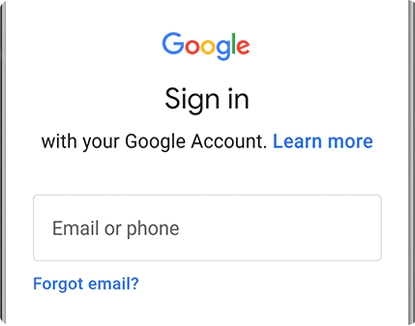
Step 4. Enter the corresponding password and complete any additional verification requested on the screen.
Step 5. After successful verification, continue with the Android setup and add your current account if needed.
✍ Tips:
- If you have forgotten the account password or email address, go to the Google Account Recovery Page and recover your account rather than repeatedly entering incorrect credentials.
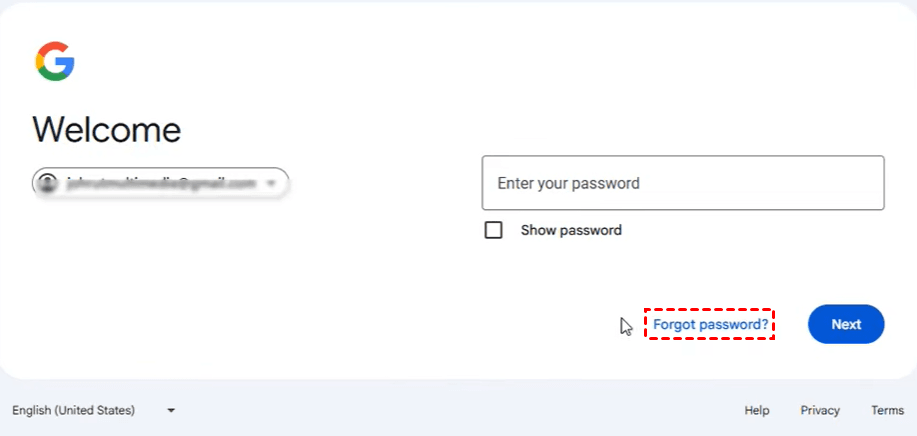
- If you recently changed your Google account password, you may need to wait before the new credentials can be used for device verification. Avoid repeatedly resetting the phone while troubleshooting the issue.
Method 2: Remove FRP with Best FRP Bypass Tool for PC
If you own the Samsung device but cannot complete the Google verification process, a dedicated PC-based FRP removal utility - FoneTool Unlocker can give you a hand.
- Key Features:
- ⭐Multiple unlock methods: Provides different methods for supported Android versions, MediaTek and Qualcomm chipsets, and certain U.S. models.
- ⭐USB-based workflow: The Samsung device can be connected directly to a Windows PC.
- ⭐Guided operation: The software displays instructions for the required actions on the phone.
- ⭐Broad Samsung support: Supports selected Galaxy S, A, M, Z, Fold, and Flip models, including newer supported models.
- ⭐iOS Device Unlock: Besides unlocking Samsung devices, it can also help you bypass iCloud Activation Lock, remove screen time passcode, find Apple ID password, and more.
Learn how to remove FRP lock with FoneTool Unlocker below:
Step 1. Connect the FRP-locked Samsung phone to a Windows PC using a reliable USB data cable.
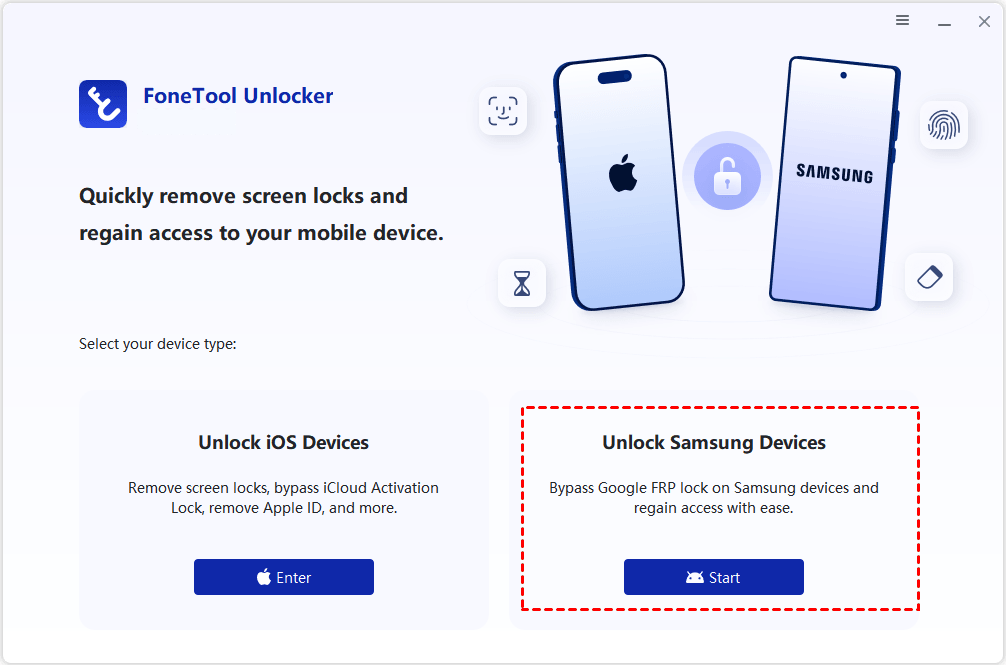
Step 2. Download, install and launch FoneTool Unlocker on the computer. Find Unlock Samsung Devices and click Start.
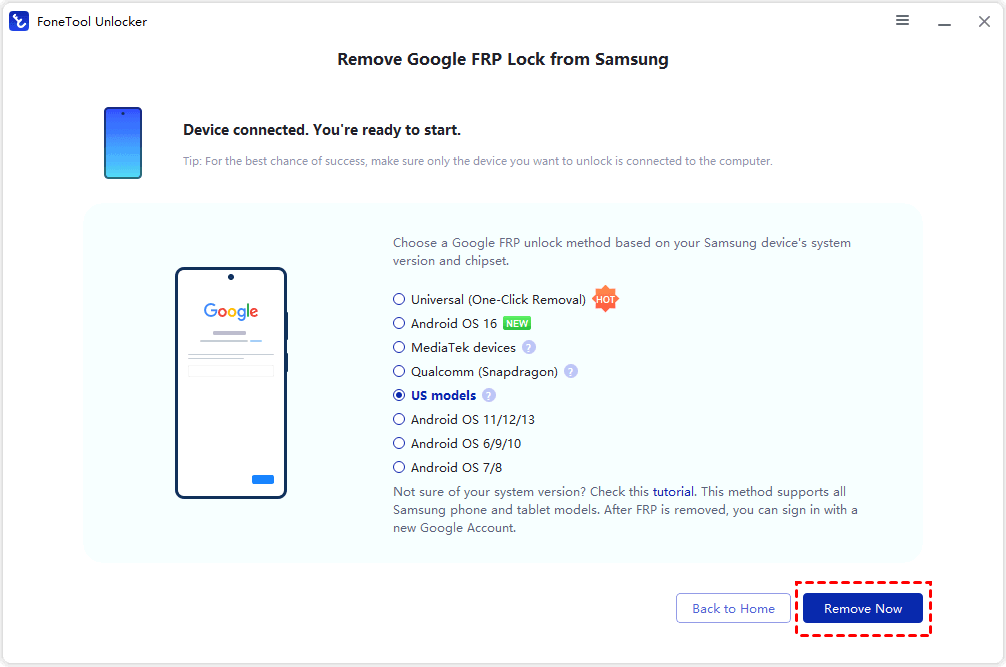
Step 3. Choose the removal method that matches your Samsung device's Android version and chipset. Click Remove Now.
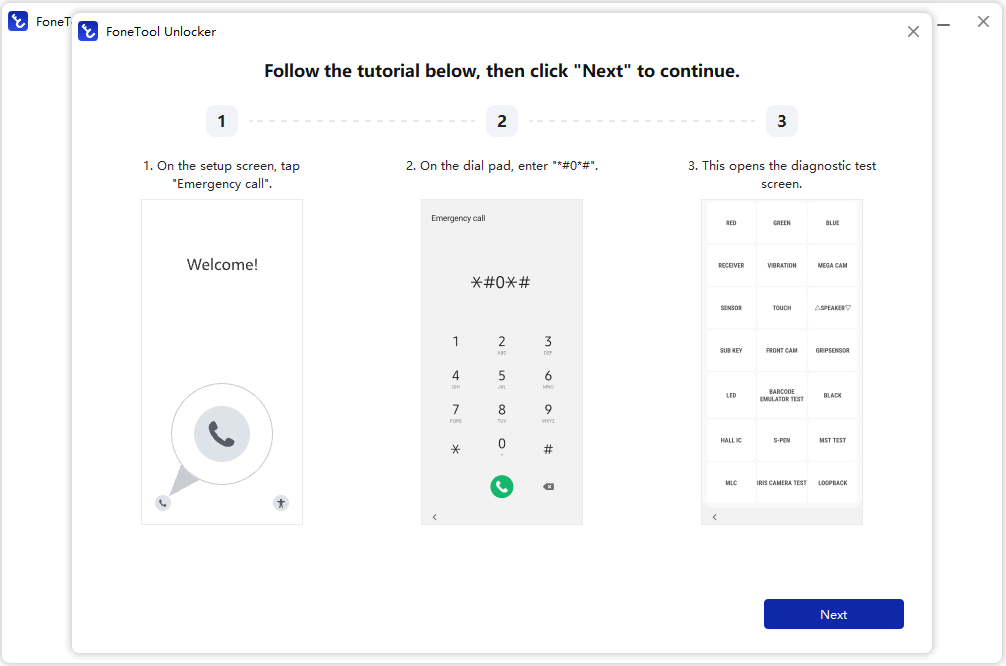
Step 4. Follow the on-screen instructions to tap Emergency Call and enter a specified code, such as *#0*#, to access the device's test mode. Then click Next in FoneTool Unlocker.
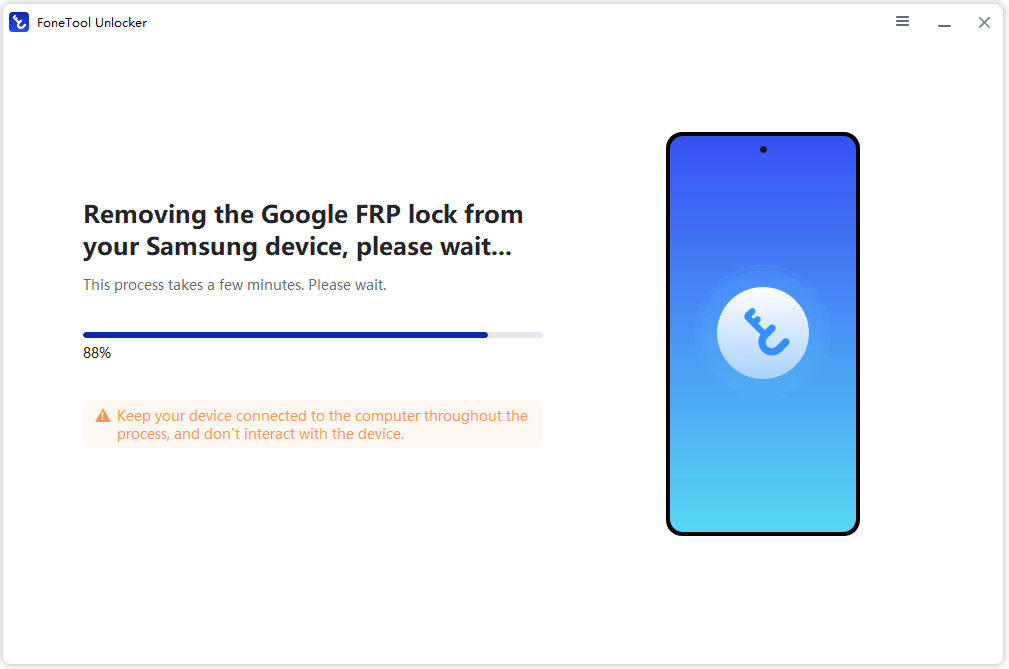
Step 5. The program will proceed with the supported FRP removal procedure. Keep the phone connected to the computer while the process is running and avoid disconnecting the USB cable.
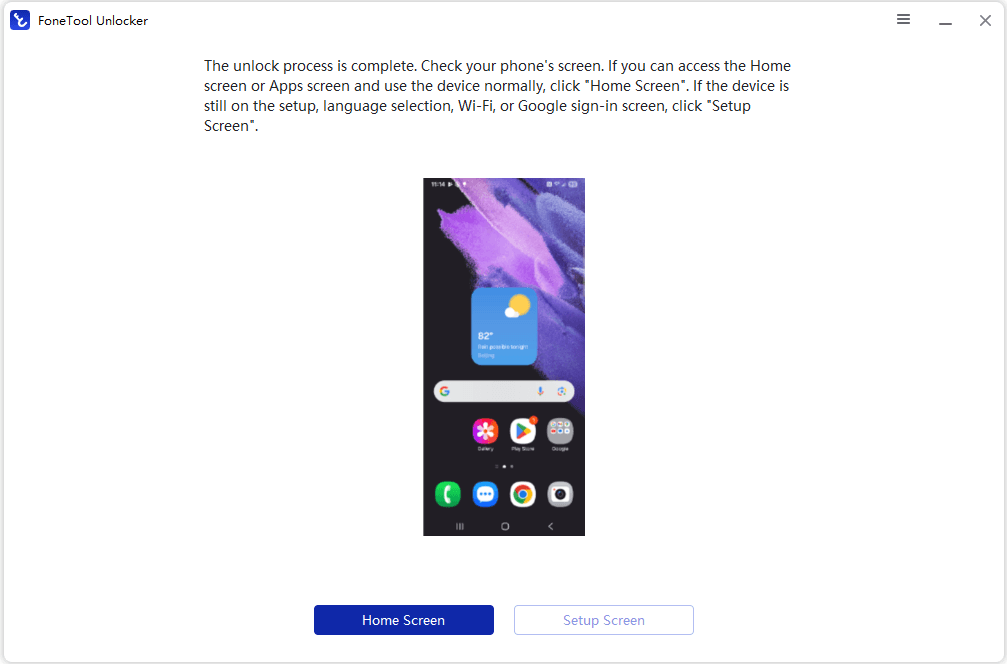
Step 6. Once the process finishes, follow the remaining instructions shown by the software or on the phone to complete device setup.
FAQs About FRP Lock
1. What Causes FRP Lock?
FRP Lock is triggered when a supported Android device has a Google account associated with it and the device is later factory reset without properly removing that account first. After the reset, the device may require verification of the previously synced Google account before setup can be completed. This security feature is designed to prevent unauthorized use of a reset device.
2. Can I Remove FRP Without the Previous Google Account?
If you own the device, the recommended option is to recover access to the previously linked Google account and use it to complete verification. If you purchased the phone second-hand, ask the previous owner to remove their Google account from the device or help complete the verification process.
For supported devices, specialized FRP removal software may provide another option when normal account verification is unavailable. However, compatibility varies by device model, Android version, firmware, and security patch. Only use such tools on a device you own or are authorized to unlock.
3. How Long Does FRP Lock Last?
FRP Lock does not normally expire after a fixed period. It remains active until the device successfully completes the required ownership verification or FRP is legitimately removed through a supported process.
If you recently changed the password of the Google account associated with the device, you may also need to wait before the new password can be used for verification. The exact waiting period can depend on Google's current security requirements.
Summary
Now you know what is Google smart lock (FRP lock) and how Factory Reset Protection helps protect Android devices after a factory reset. If your phone asks for the previously linked Google account, you can first verify the account credentials to complete setup.
If you own a supported device but cannot complete Google verification, a dedicated FRP removal tool like FoneTool Unlocker provides another option. It offers a guided process for removing FRP on supported Samsung devices. Just go for it!
FoneTool Unlocker - 1-Click Phone Unlock Software
Easily remove passcodes and restrictions from iPhone, iPad, iPod touch, and Samsung devices.
-
 iOS 27 Compatible
 iPhone 18 Supported
-
Samsung FRP Removal
100% Secure

Lily Green is dedicated to helping users protect their valuable mobile data and addressing issues that arise on mobile devices. She consistently stays vigilant about the latest trends in technology, guaranteeing that the given information aligns with the ongoing advancements in the field.
Read author info >>



 as a preferred
source on Google
as a preferred
source on Google