How to Unlock a TracFone iPhone: Official & Software Methods
earn how to unlock your TracFone iPhone. Step-by-step guide on TracFone's policy, carrier switching, and fixing screen locks with FoneTool Unlocker.


To unlock a TracFone iPhone, you must first meet TracFone's eligibility requirements and request an official unlock from them. The primary unlock method is free if you follow their policy. This guide explains the process step-by-step and provides solutions for other common lock issues you might encounter.
Can You Unlock a TracFone iPhone?
Yes, unlocking a TracFone iPhone is not only possible but also mandated by U.S. regulations. However, it's not instant. TracFone sets specific conditions to prevent fraud and ensure their service terms are met.
The table below outlines the key scenarios and the recommended first step for each:
| Your Situation | First & Best Action | What It Means for You |
| Phone is paid off & active for 12+ months. | Request official unlock from TracFone. | Only free & guaranteed way to remove carrier lock. |
| Plan to switch carriers after unlock. | Verify network compatibility. | Unlocked phones only work on supported networks. |
| Forgot screen passcode or Apple ID. | Use a professional iOS unlock tool. | Solves device access lock, not carrier lock. |
Part 1. The Official Unlock - Removing TracFone's Network Lock
This process removes the restriction that binds your iPhone to TracFone's service, allowing you to use a SIM card from other carriers.
Step 1. Verify Your Unlock Eligibility
TracFone's standard unlocking policy requires:
- The iPhone has been active on TracFone service for at least 12 months.
- The account associated with the device is in good standing.
- The device is not reported as lost, stolen, or involved in fraud.
Step 2. Contact TracFone to Request the Unlock
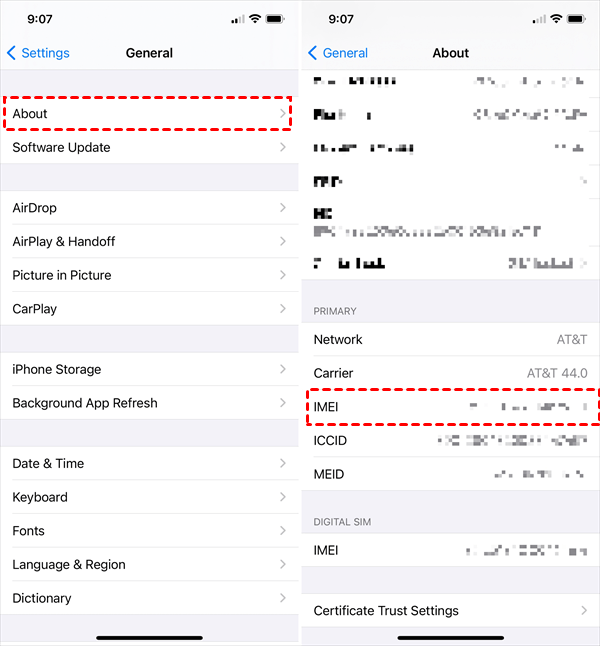
1. Find Your IMEI: Go to Settings > General > About on your iPhone and note the 15-digit IMEI number.
2. Make the Request: Contact TracFone Customer Service by phone or through their official website. You will need to provide the IMEI number and account details.
3. Wait for Confirmation: TracFone will process your request. If approved, they will send you confirmation via email or SMS, which can take a few days.
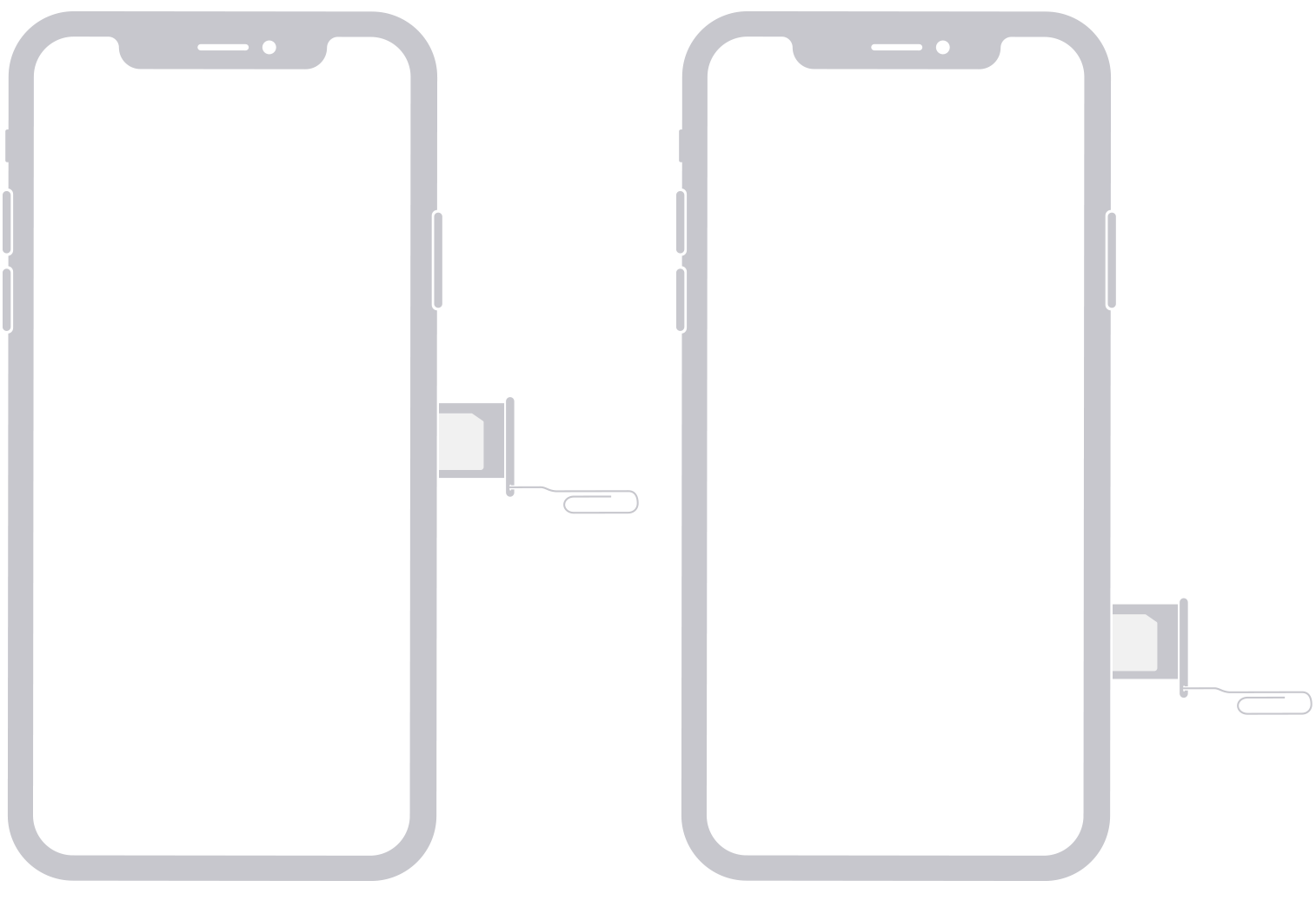
4. Complete the Unlock: After receiving confirmation, insert a new SIM card from a different carrier. Follow any on-screen prompts to activate the phone on the new network.
Part 2. The Crucial Next Step - Network Compatibility Check
An unlocked phone is not automatically compatible with every network. Your TracFone iPhone was originally designed to work on one of the major networks (Verizon, AT&T, or T-Mobile).
How to Check and Activate:
Step 1. Identify your phone's original network (often indicated on the box or in the original settings).
Step 2. Contact your desired new carrier. Provide them with your iPhone's IMEI number to verify compatibility before switching.
Step 3. If compatible, the new carrier will help you activate the phone on their network.
Part 3. Solve Device Access Locks with FoneTool Unlocker
It's good to successfully remove the carrier lock on your phone, but what if you can't get into it? One of the common challenges is being locked out due to forgetting the screen password or the previous owner's Apple account (activation lock). This is a different issue than carrier locks, but just as crucial.
FoneTool Unlocker can help you free yourself from multiple locking situations, allowing you to quickly unlock your iPhone and gain access. This tool is useful if you bought a used TracFone iPhone and the device is still tied to someone else's Apple account.
✅ Remove Apple ID & Activation Lock: Bypass iCloud activation lockwithout the previous password.
✅ Unlock Screen without Passcode: Remove forgotten passcodes on disabled iPhones.
✅ Guided & User-Friendly: Simple step-by-step process via computer.
✅ Wide Compatibility: Supports various iPhone models, including those used on TracFone.
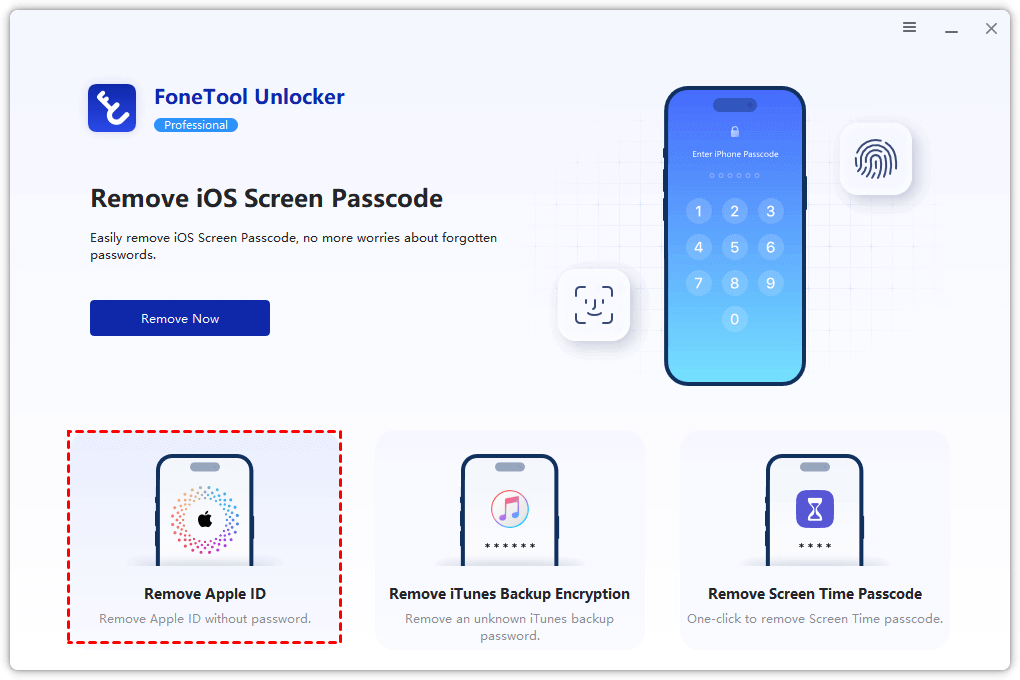
Step 1. Download and install FoneTool Unlocker on a Windows computer. Connect your iPhone and launch the software.
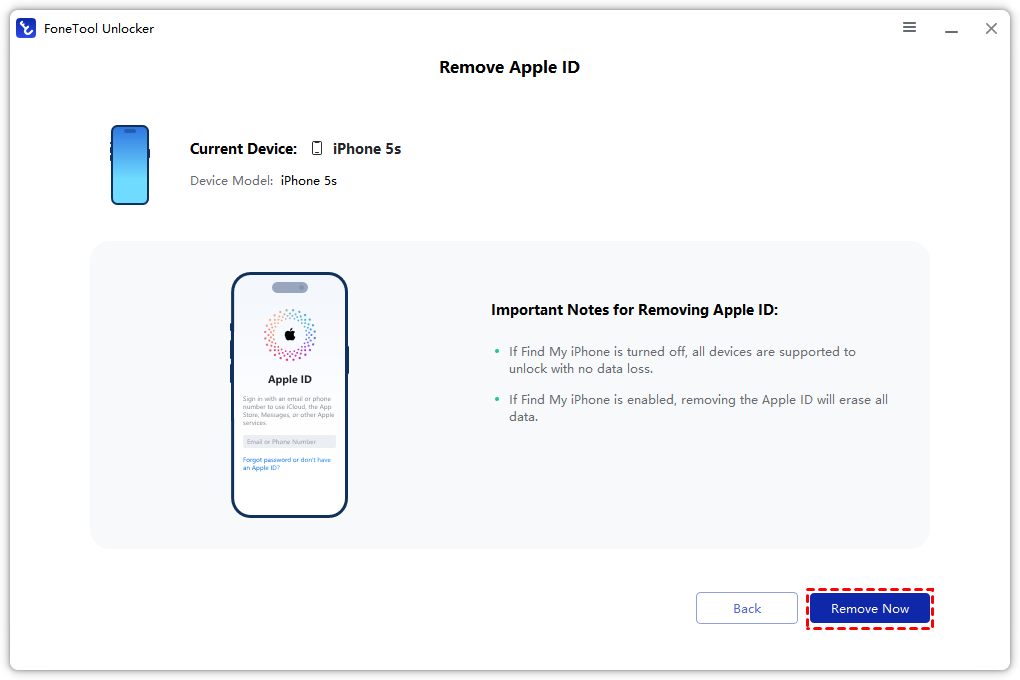
Step 2. Select the appropriate function (e.g., "Remove Apple ID").
Step 4. Follow the on-screen instructions to complete the unlock process, which will erase the device.
Frequently Asked Questions
Summary
Unlocking your TracFone iPhone involves a clear, two-part process: first, the official carrier unlock through TracFone, and second, ensuring network compatibility with your new carrier. For issues like forgotten passcodes or Activation Locks, a professional tool like FoneTool Unlocker provides an effective solution. Always start with the official, free methods and use specialized tools for device access problems.
FoneTool Unlocker - 1-Click iPhone Unlock Software
Easily unlock all passcodes and restrictions on your iPhone, iPad, and iPod Touch.
-
 iOS 27 Compatible
 iPhone 17 Supported
100% Secure

Kelsey is an English editor at FoneTool, passionate about helping users solve tech issues. She specializes in iPhone data management, backup, and recovery. In her free time, she enjoys learning IT skills and spending time with loved ones.
Read author info >>



 as a preferred
source on Google
as a preferred
source on Google