How to Unlock iPhone X [Complete 2026 Guide]
Forgot your iPhone X passcode? Whether it's disabled or locked, our guide provides clear, step-by-step solutions. We compare official Apple methods with professional tools like FoneTool Unlocker for a fast, reliable fix. Get your phone working again.


Getting locked out of your iPhone X is a stressful experience. Whether you’ve forgotten your passcode, face a disabled screen, or are dealing with a second-hand phone still linked to a previous owner’s Apple ID, regaining access is your top priority.
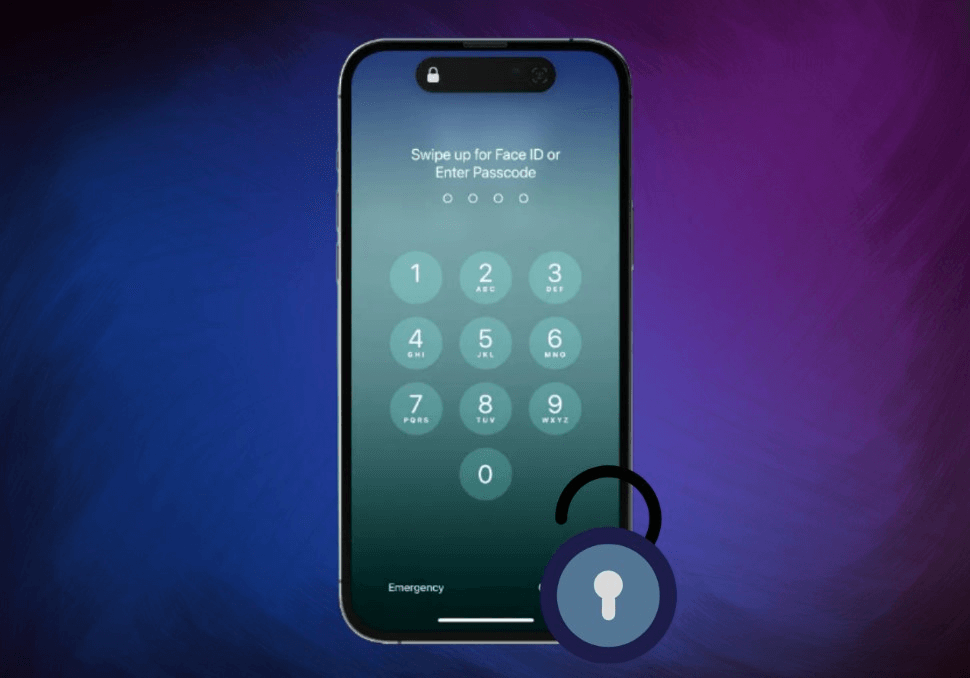
Why Your iPhone X is Locked?
Before attempting to unlock your device, it’s helpful to understand the common lock scenarios:
- Forgotten Passcode: You simply cannot remember your 4-digit, 6-digit, or custom alphanumeric passcode.
- Disabled iPhone: After multiple incorrect passcode attempts (usually six), your iPhone X will become temporarily and then permanently disabled for security, displaying the “iPhone is disabled; connect to iTunes” message.
- Second-Hand Apple ID Lock: A used phone may still be linked to the seller’s Apple ID and iCloud account (Activation Lock).
- Malfunctioning Biometrics: Issues with Face ID or a unresponsive screen can prevent normal access.
Method 1. Using FoneTool Unlocker (Recommended for Ease & Success)
For users seeking a straightforward, computer-based solution with a high success rate, professional unlocking software like FoneTool Unlocker is often the most reliable choice. This tool is specifically designed to bypass various iOS locks without requiring extensive technical knowledge.
-
✅Unlock any iPhone locked screen without passcode
✅Easily remove Apple ID and Screen Time destrictions
✅Simple operation with user-friendly interfaceand guided steps
✅Broad compatibility with iPhone X and various iOS versions
✅High success rate with a safe, reliable process
Step 1. On a Windows PC, download and install FoneTool Unlocker. Connect your disabled iPhone X to the computer using a USB cable.
Step 2. Start the program and select the “Remove iOS Screen Passcode” function.

Step 3. The software will detect your device model. Click “Download” to fetch the matching firmware package. This step requires an internet connection.
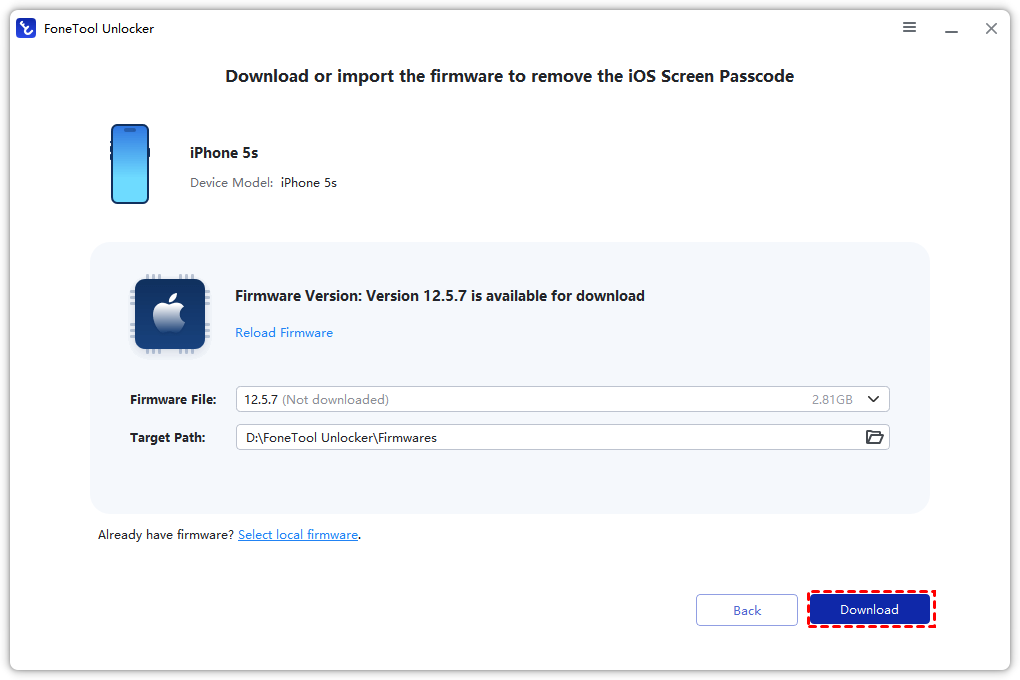
Step 4. Once the firmware is downloaded, click “Remove Now”. Confirm the action. The software will begin removing the passcode from your iPhone X.
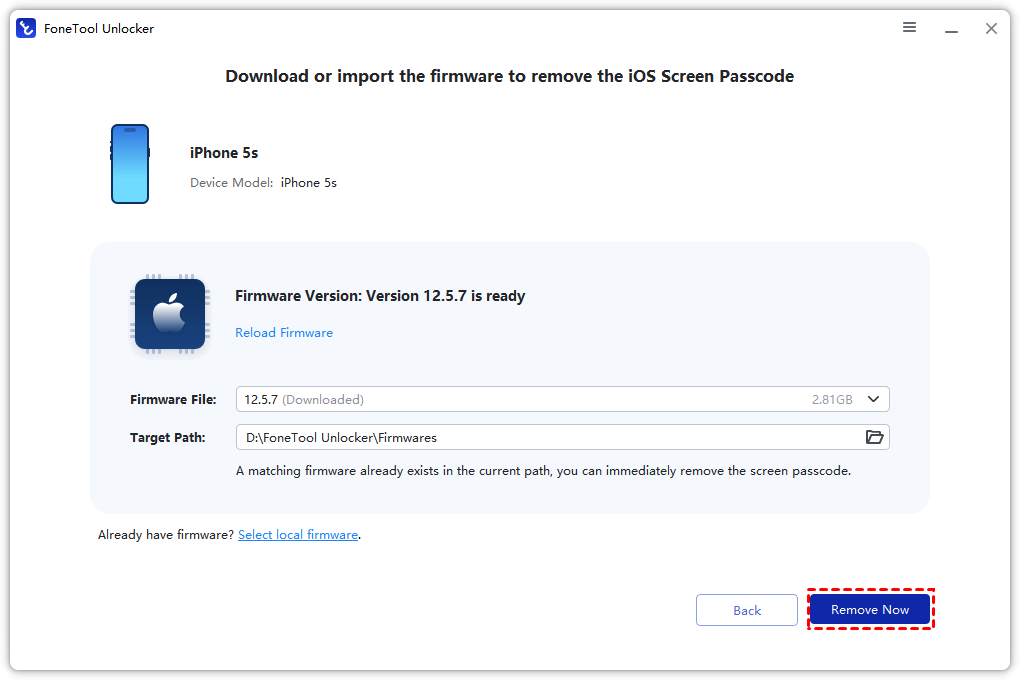
After the process completes, your iPhone X will restart. You can then set it up as a new device or restore it from a backup.
📝Tip: This method erases all data on your iPhone X. Ensure you have an iPhone backup if possible before proceeding.
Method 2.Unlock via iCloud (“Find My iPhone”)
This is an excellent remote solution if “Find My iPhone” was enabled on your locked device and you know your Apple ID credentials.
Prerequisites:
- “Find My iPhone” was ON on your iPhone X.
- You know the Apple ID and password used on the device.
- The iPhone X is connected to a cellular or Wi-Fi network.
Step 1. On a computer or another device, navigate to icloud.com/find.
Step 2. Sign in with the Apple ID linked to your locked iPhone X.
📝Tip: Forgot your Apple ID password? Don't worry, the best iPhone unlocker - FoneTool Unlocker can safely remove locked Apple ID and even keep your iPhone data.
Step 3. Click “All Devices” at the top and select your iPhone X from the list.
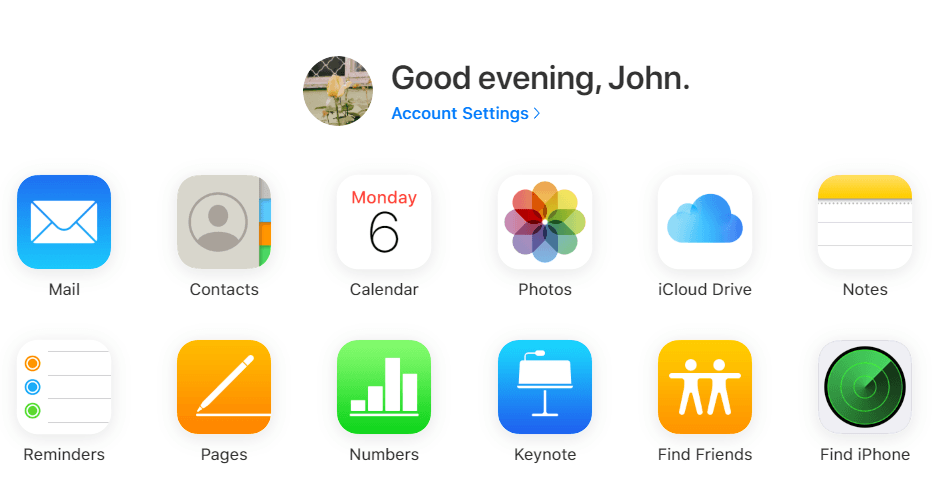
Step 4. Click “Erase iPhone”. This will remotely wipe your device, including the passcode.
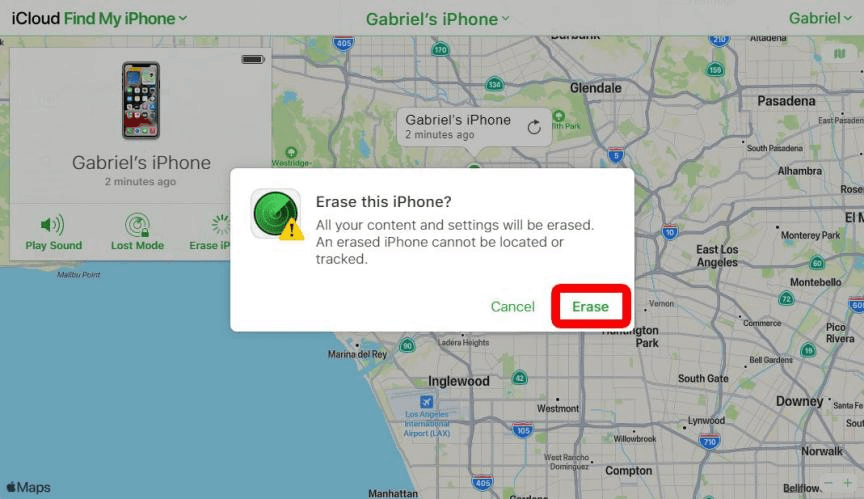
Step 5. Once the erase is complete, you can set up your iPhone X again. If you have an iCloud backup, you can restore your data during setup.
Method 3.Unlock Using Recovery Mode with iTunes/Finder
This is Apple’s official method for restoring a disabled iPhone. It requires a computer (Mac or PC) and will erase the device.
Step 1. Using a USB cable, connect your iPhone X to the computer. Open iTunes or Finder.
Step 2. Enter Recovery Mode:
- Quickly press and release the Volume Up button.
- Quickly press and release the Volume Down button.
- Then, press and hold the Side button until you see the recovery mode screen (a cable pointing to a computer icon).
Step 3. On your computer, a dialog will appear detecting an iPhone in recovery mode and giving you options to “Update” or “Restore”. Choose “Restore”.
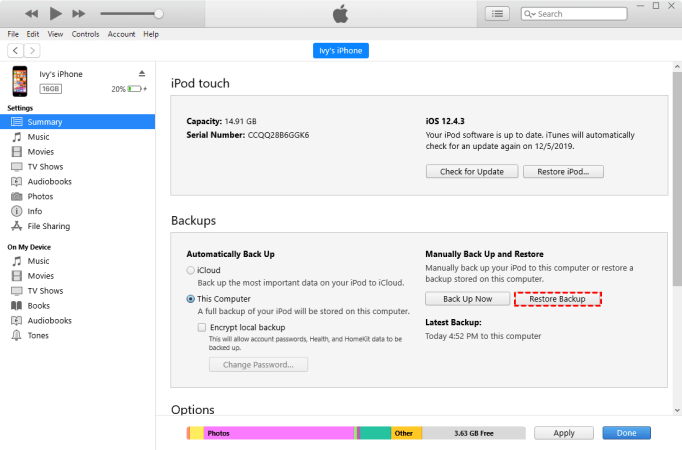
Step 4. The computer will download software for your iPhone X and begin the restoration. This process will erase the device and install the latest iOS version.
Step 5. After completion, you can set up your iPhone X as new or restore from a backup.
Method 4.Other Situations and Considerations
If You Have an iTunes Backup: If you previously synced your iPhone X with iTunes and created an encrypted backup, you can restore that backup after using Recovery Mode (Method 3) to recover your personal data.
For Apple ID (Activation Lock): If you’re locked out due to a previous owner’s Apple ID, you must contact the original owner to remove the device from their account. Tools like FoneTool Unlocker also offer features to remove Apple ID, but this typically requires proof of purchase for the service to work within Apple’s guidelines.
Frequently Asked Questions on iPhone X Unlocking
Conclusion
In summary, successfully unlocking your iPhone X depends on choosing the right method for your situation. For a straightforward and effective solution, FoneTool Unlocker is a top choice. Visit the official website to download the tool and start your unlock process now.
FoneTool Unlocker - 1-Click iPhone Unlock Software
Easily unlock all passcodes and restrictions on your iPhone, iPad, and iPod Touch.
-
 iOS 27 Compatible
 iPhone 17 Supported
100% Secure

Kelsey is an English editor at FoneTool, passionate about helping users solve tech issues. She specializes in iPhone data management, backup, and recovery. In her free time, she enjoys learning IT skills and spending time with loved ones.
Read author info >>



 as a preferred
source on Google
as a preferred
source on Google