Unlock Xfinity iPhone [A Complete 2026 Guide]
Learn how to legally unlock your Xfinity Mobile iPhone. We detail the official requirements and three proven methods - through Xfinity, with FoneTool Unlocker software, or via iCloud - to free your device for any network.


If you’re trying to use a different SIM card in your Xfinity Mobile iPhone and see an error like “SIM Not Supported”, your device is carrier-locked. This restriction binds your phone to the Xfinity network. Unlocking it is the key to switching carriers, using local SIMs while traveling, or increasing your phone’s resale value.
This guide walks you through three effective and legitimate methods to unlock your Xfinity iPhone, from the official carrier process to reliable software solutions.
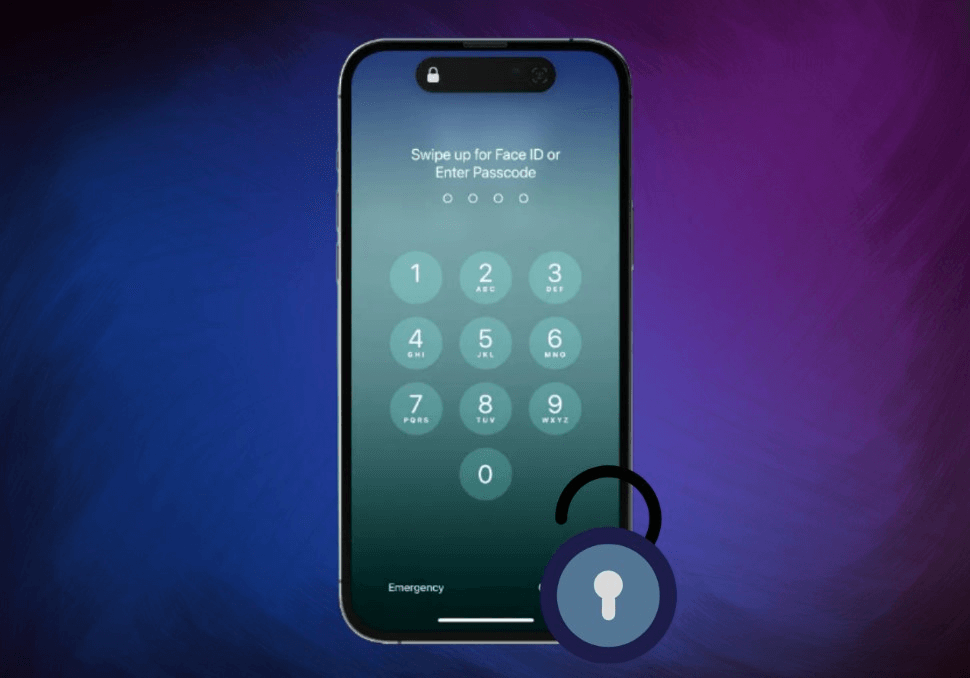
Why Does Your Xfinity iPhone Locked?
A carrier unlock removes the network restriction programmed into your iPhone by Xfinity Mobile. Once unlocked, you can freely use your device with any compatible carrier worldwide. Common reasons include:
- Switching to a different mobile service provider.
- Avoiding expensive international roaming fees by using a local SIM abroad.
- Increasing the resale value of your device, as unlocked phones are more desirable.
Important Prerequisites Before You Begin
Before attempting any unlock, your device and account must meet Xfinity Mobile's official eligibility criteria:
Active Service: The iPhone must have been active on Xfinity Mobile for at least 60 days.
Account in Good Standing: Your account must be current with no unpaid bills or contract violations.
Device Status: The iPhone must not be reported as lost, stolen, or involved in fraud.
Ownership: Only the original account holder can request the unlock.
Method 1. The Official Xfinity Carrier Unlock
The most secure and permanent method is to request the unlock directly from Xfinity Mobile. This method is free if you meet all eligibility requirements.
Step 1. Find your iPhone's unique IMEI number by going to Settings > General > About, or by dialing *#06# on the phone keypad.
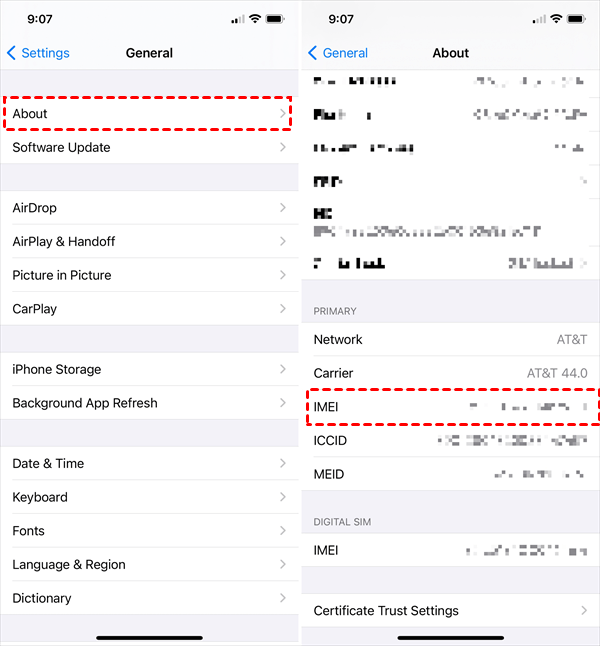
Step 2. Reach out to their support team. You can call or text 1-888-936-4968, use the chat function in the Xfinity Mobile app, or submit a request through their official website.
Step 3. Provide the representative with your account information and the iPhone's IMEI number. They will verify your eligibility.
Step 4. Xfinity states that processing typically takes up to 3 business days. You will receive an email or SMS confirmation once the unlock is complete.
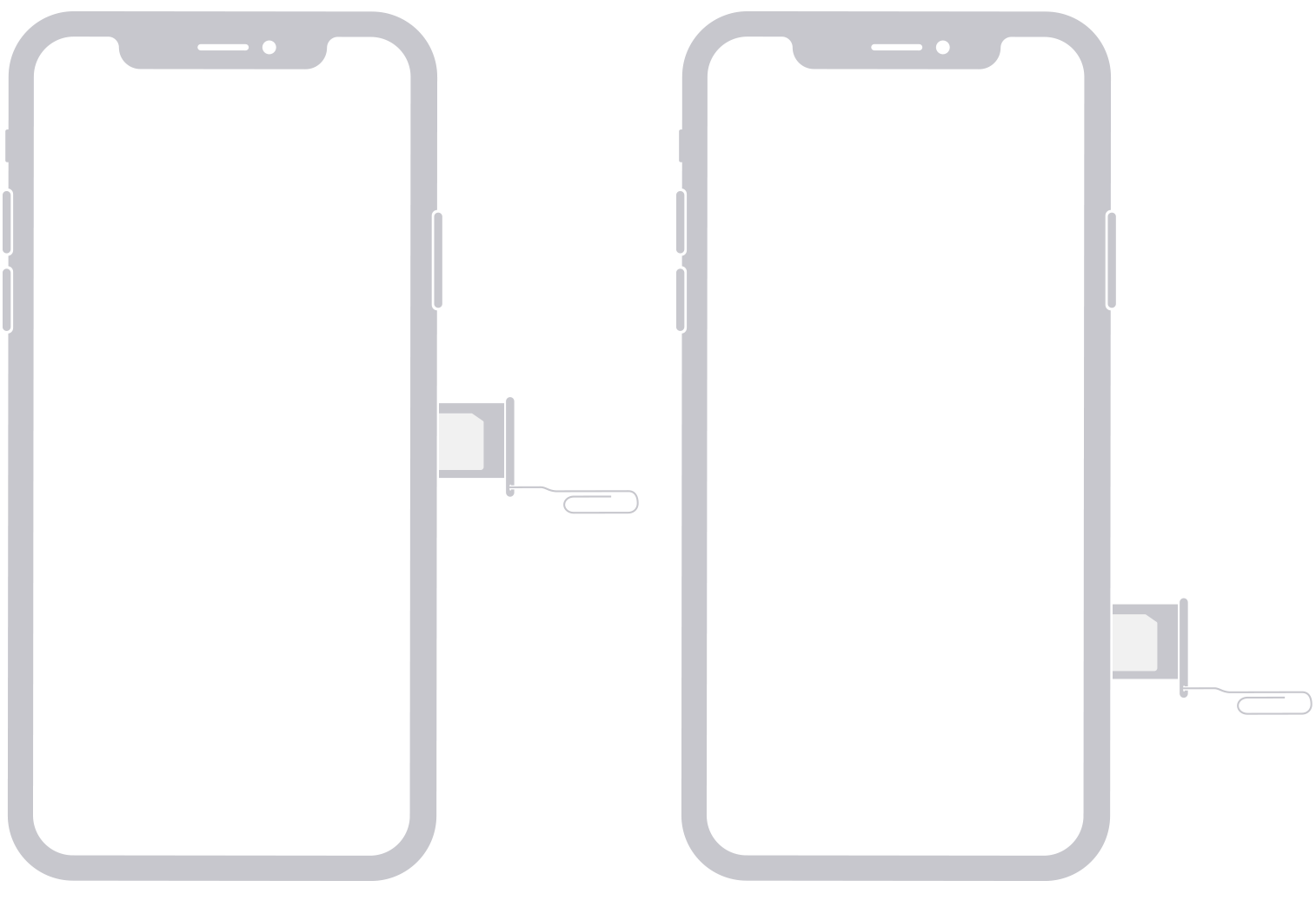
Step 5. After confirmation, insert a non-Xfinity SIM card into your iPhone. Follow the on-screen activation prompts. Alternatively, you can back up your iPhone, perform a factory reset, and then restore from your backup to finalize the process.
- ★Contact Tip:
- Have your account number and IMEI ready before calling. Being polite and clearly stating that you meet the 60-day requirement can help expedite the process. If denied, politely ask for the specific reason.
Method 2. Unlock Xfinity iPhone with FoneTool Unlocker
If you are ineligible for an official unlock or need to bypass the screen passcode in addition to the carrier lock, a professional tool like FoneTool Unlocker can be a comprehensive solution. It's designed to handle various iOS lock scenarios with a high success rate.
👍🏻Address multiple layers of iPhone restriction.
👍🏻Removes Apple ID, forgotten screen passcodes, and Screen Time, etc
👍🏻Compatible with a wide range of iPhone models, including the latest iOS versions.
👍🏻Guides you with simple on-screen instructions from start to finish.
Step 1. On a Windows PC, download and install FoneTool Unlocker, and launch the program.
Step 2. Connect your locked Xfinity iPhone using a USB cable. Select the appropriate function on FoneTool Unlocker (e.g., "Remove iOS Screen Passcode").
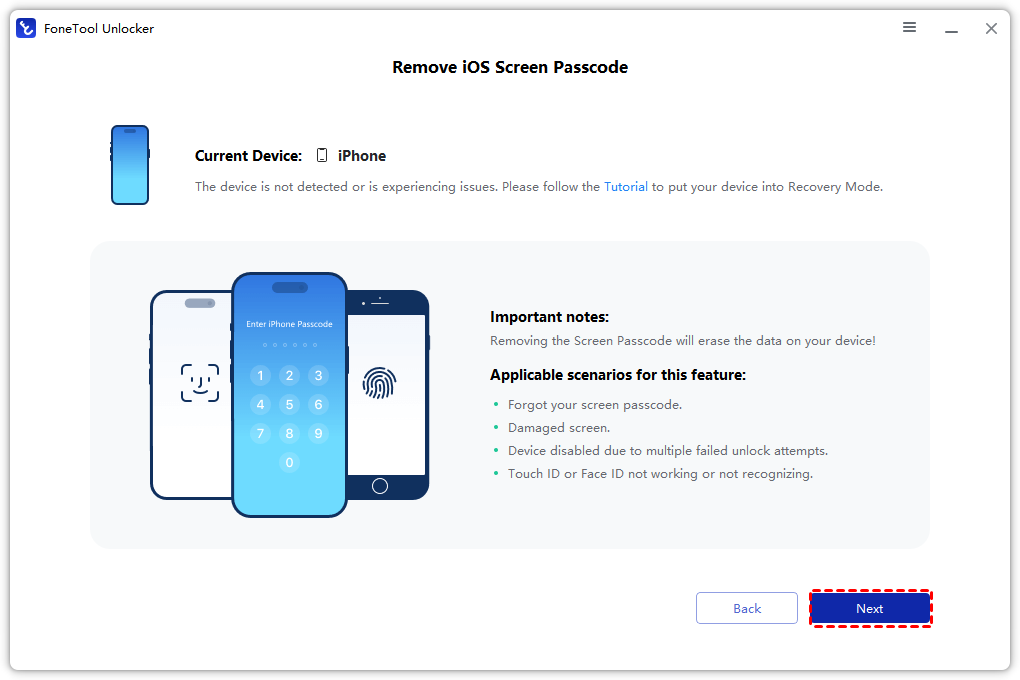
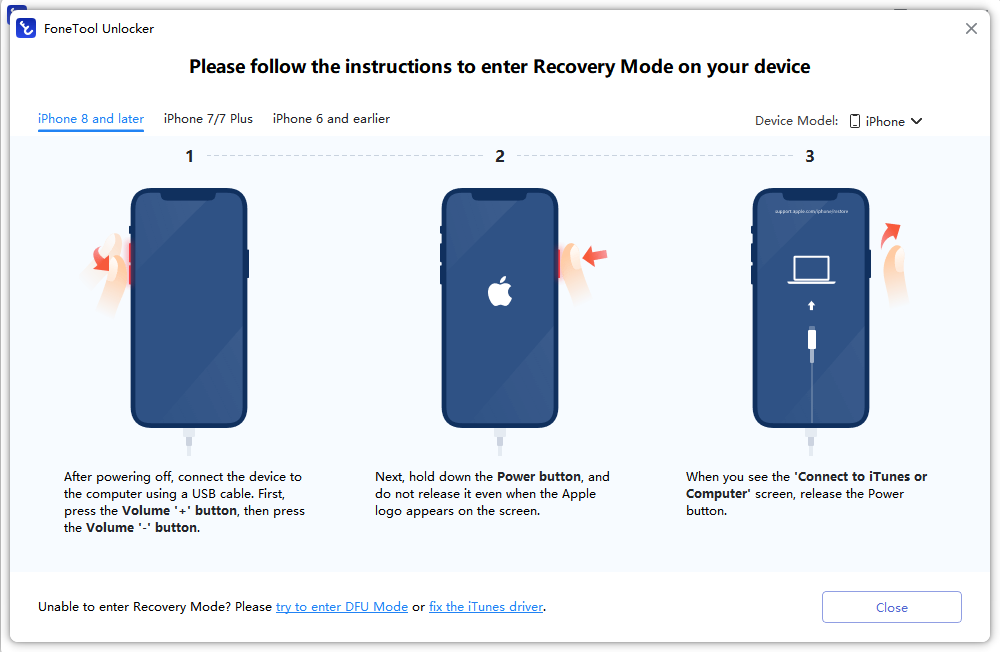
Step 3. Follow the on-screen instructions. The software will guide you to put your iPhone into the required mode and download the necessary firmware package.
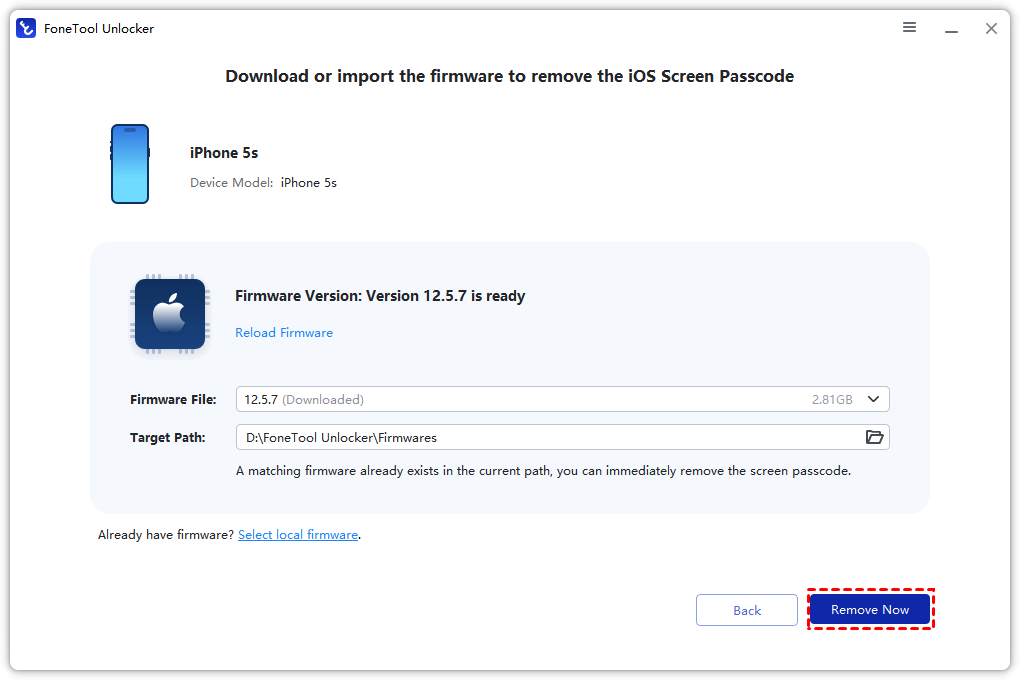
Step 4. Click “Remove Now” to begin the process. Once completed, your iPhone will restart, free from restrictions.
Method 3. Remote Unlock Xfinity iPhone via iCloud
This method does not remove the carrier lock but is relevant if your iPhone is disabled or you cannot bypass its Activation Lock. It requires that “Find My iPhone” be enabled on the device.
Step 1. On a computer or other device, visit icloud.com/find and sign in with the Apple ID associated with the locked iPhone.
Step 2. Click “All Devices” at the top and select your Xfinity iPhone from the list.
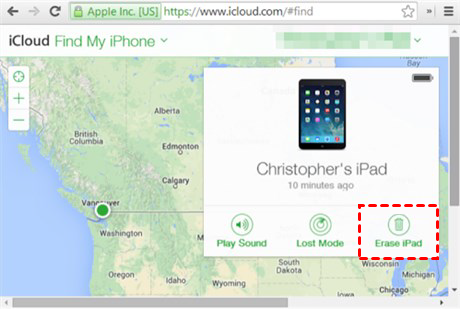
Step 3. Choose “Erase iPhone”. This will remotely wipe the device, including its passcode, allowing you to set it up again.
Step 4. After erasure, you can set up the iPhone. If it is carrier-unlocked, you can insert a new SIM. If it is still carrier-locked, you will need to use Method 1 or 2.
Quick Decision Guide on Xfinity iPhone Unlocking
Use this flowchart to choose the best method for your situation:
1. Do you meet Xfinity’s 60-day requirement and have a clear account? → YES → Use Method 1 (Official Unlock).
2. Are you ineligible for Method 1, or is the phone also disabled/locked by a passcode?→ YES → Consider Method 2 (FoneTool Unlocker).
3. Is the phone just disabled or Activation Locked, but carrier status is unknown? → YES → Try Method 3 (iCloud Erase) first, then check carrier lock status.
Frequently Asked Questions (FAQ)
Summary
Unlocking your Xfinity iPhone opens up its full potential. For most users, the best and first step is to contact Xfinity Mobile directly. It’s the official, free, and non-intrusive way to get a permanent unlock. If you face eligibility barriers or need to resolve a forgotten passcode simultaneously, FoneTool Unlocker offers a powerful and user-friendly software-based solution to overcome multiple lock types.
Always start by checking your eligibility with Xfinity, and choose the method that best fits your specific situation to enjoy the freedom of an unlocked iPhone.
FoneTool Unlocker - 1-Click iPhone Unlock Software
Easily unlock all passcodes and restrictions on your iPhone, iPad, and iPod Touch.
-
 iOS 27 Compatible
 iPhone 17 Supported
100% Secure

Kelsey is an English editor at FoneTool, passionate about helping users solve tech issues. She specializes in iPhone data management, backup, and recovery. In her free time, she enjoys learning IT skills and spending time with loved ones.
Read author info >>



 as a preferred
source on Google
as a preferred
source on Google