How to Unlock a Sprint Phone Without Password - Full Guide
Forgot your Sprint phone password? This guide covers three effective methods: carrier unlock, using FoneTool Unlocker for iPhones, and Google Find My Device for Androids to regain access.


Why Your Sprint Phone is Locked: Common Scenarios
Before attempting to unlock your device, it's helpful to identify the type of lock you're facing:
- Carrier Network Lock (Sprint Lock): Your phone is programmed to only work on the Sprint network. To use it with T-Mobile (which now manages the Sprint network), AT&T, Verizon, or any international carrier, you need a carrier unlock.
- Screen Passcode/Forgotten Password: You've entered the wrong PIN, pattern, or password too many times, disabling the device.
- Factory Reset Protection (FRP) / Apple ID Lock: On Android, this is Google’s Factory Reset Protection. On iPhone, it's Apple's Activation Lock. These security features prevent anyone from using the phone after a reset without the original account credentials.
- MDM (Mobile Device Management) Lock: The phone may have been supervised by a company or school, restricting its use.
Method 1. Request an Official Sprint/T-Mobile Unlock (For Network Lock)
The most legitimate way to remove the carrier lock is to contact Sprint (now T-Mobile) directly. This is free if you meet their eligibility requirements.
📝Sprint/T-Mobile Unlock Policy Requirements:
- The device must be fully paid off.
- The account associated with the device must be in good standing.
- The device must have been active on the Sprint network for at least 50 days.
- The device must not be reported as lost or stolen.
Step 1. Reach out to T-Mobile (which handles Sprint unlocks) via phone (1-844-275-9310), online chat, or visit a store.
Step 2. Clearly state you want to unlock your Sprint device for use on other networks. Provide your account details and the device's IMEI number (find it by dialing *#06#).
Step 3. The process can take up to 2 business days. You'll receive confirmation when the unlock is complete.
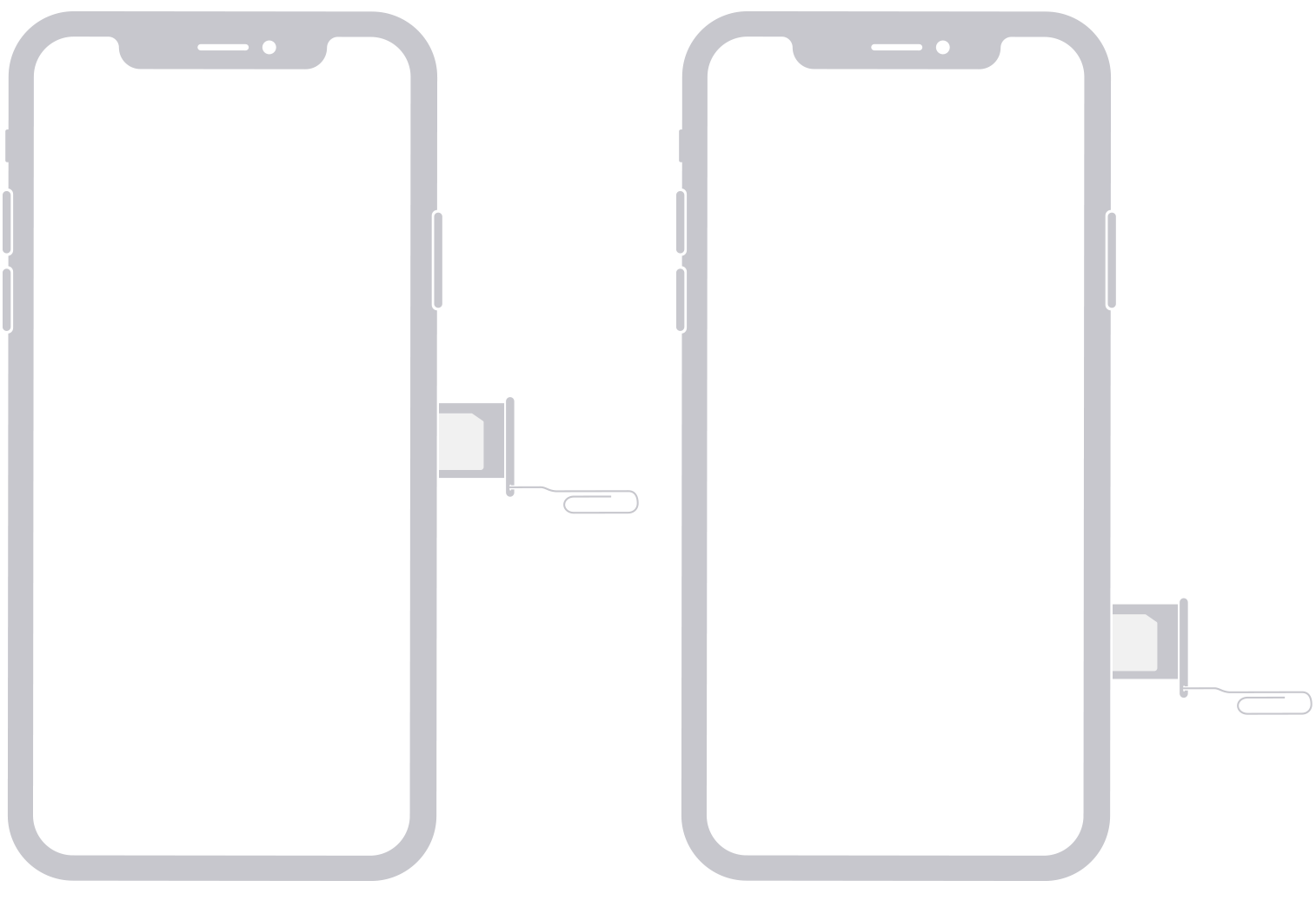
Step 4. After confirmation, insert a non-Sprint SIM card. For iPhone, the unlock is automatic. For Android, you may need to follow on-screen prompts to complete the network unlock.
Method 2. Unlock with FoneTool Unlocker (For Screen & Apple ID Locks)
If your primary issue is a forgotten screen passcode or Apple ID lock on a Sprint iPhone, a professional tool like FoneTool Unlocker is a highly effective solution. It bypasses the need for passwords by performing a deep system reset.
This tool is ideal when you need to quickly regain access to a disabled phone or remove a previous owner's Apple ID. It simplifies complex processes into a few clicks, making it a reliable choice for non-technical users.
✅Removes locked Apple ID and passcodes without needing the original password
✅ Offers a reliable and stable unlocking process for iOS devices
✅ Simple guided steps make the process accessible to everyone
✅ Supports unlocking Sprint iPhones and other iOS devices across multiple versions
Step 1. On a Windows PC, download FoneTool Unlocker, and connect your locked Sprint iPhone via USB cable.
Step 2. Launch FoneTool Unlocker, and select the “Remove iOS Screen Passcode” or “Remove Apple ID ”function.

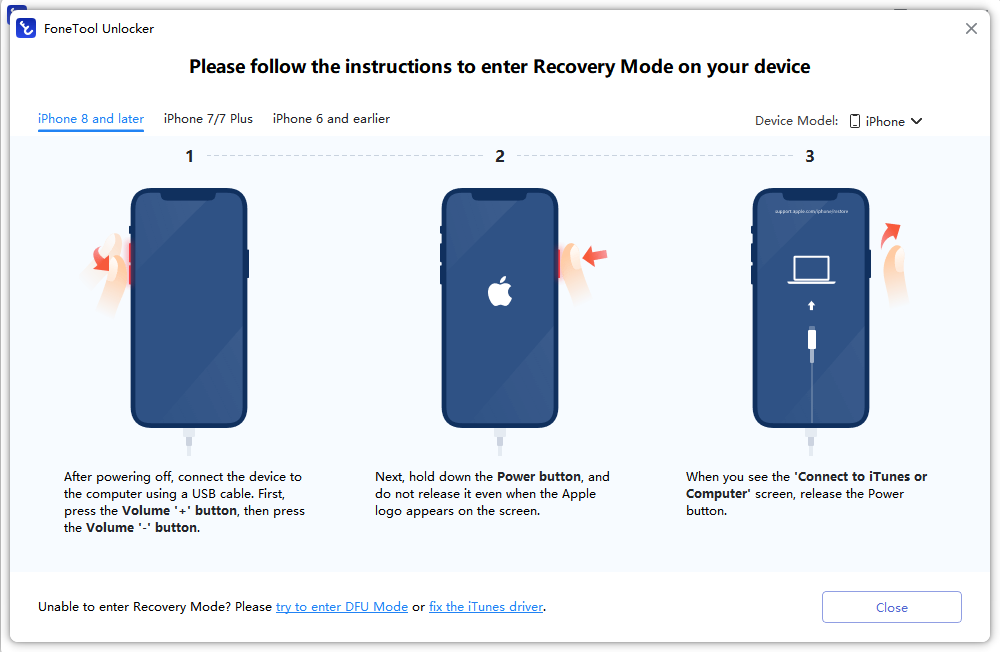
Step 3. Follow the on-screen instructions to put your iPhone into Recovery Mode.
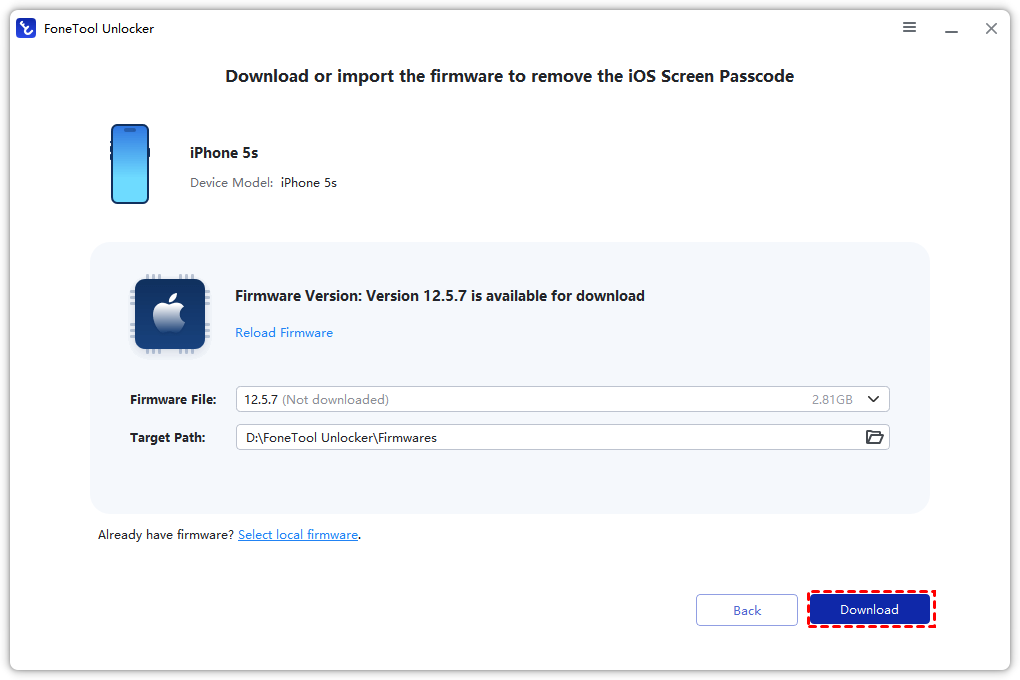
Step 4. The software will detect your device model and download the necessary firmware package.
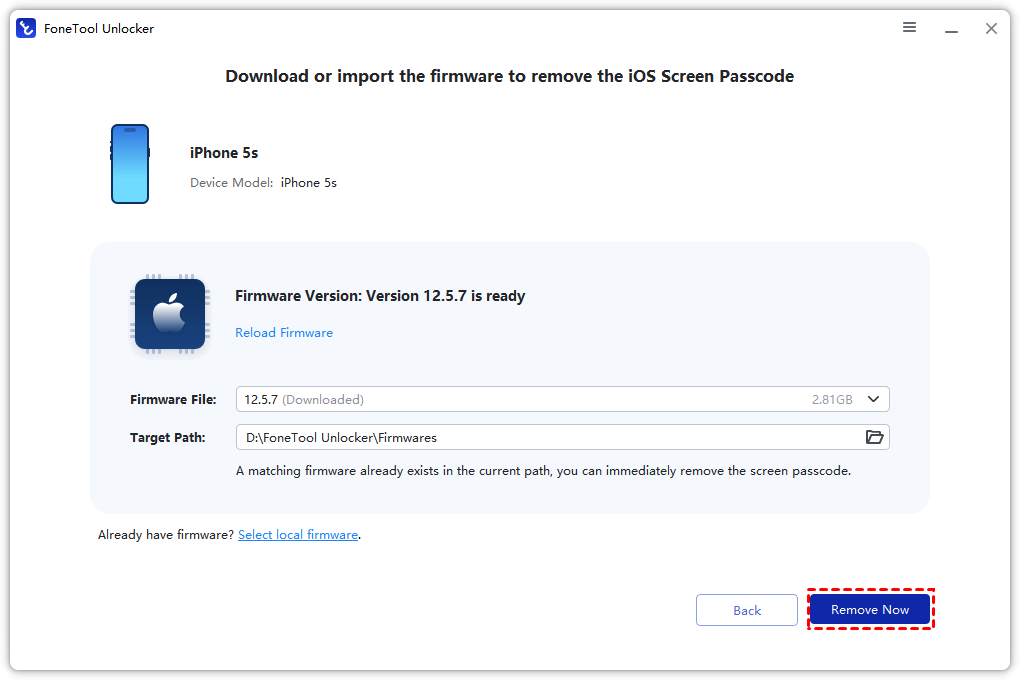
Step 5. Click “Remove Now” to unlock your iPhone without passcode. The process will erase the device and remove the lock.
Method 3.For Android Sprint Phones (FRP & Screen Lock)
Unlocking a Sprint Android phone involves different steps, focusing on bypassing Factory Reset Protection (FRP) or a forgotten screen lock.
▶ Using Google Find My Device (For Screen Lock & FRP):
Step 1. On a computer, go to google.com/android/find and sign in with the Google Account previously used on the phone.
Step 2. Select your locked Sprint phone from the list on the left.
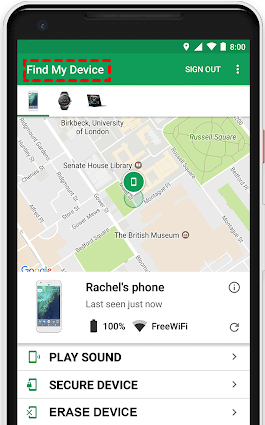
Step 3. Click “ERASE DEVICE” and confirm. This will remotely factory reset your phone.
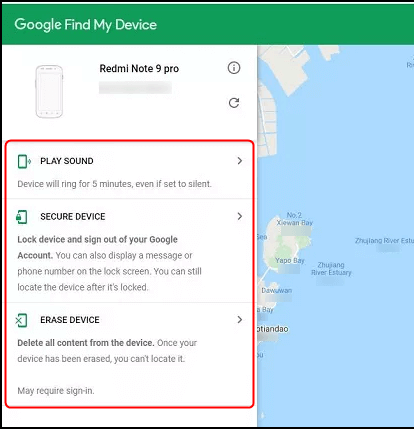
Step 4. After the reset, you can set up the phone again. The FRP lock will be removed because you verified with the correct Google account.
▶ Using Hardware Keys (For Screen Lock Only - Data Loss):
Step 1. Power off your Sprint Android phone.
Step 2. Press and hold the Volume Up + Power button (combination may vary by model; common alternatives are Volume Down + Power or Volume Up + Down + Power).
Step 3. When the manufacturer logo appears, release the buttons to enter Recovery Mode.
Step 4. Use the volume keys to navigate to “Wipe data/factory reset” and select it with the power button.
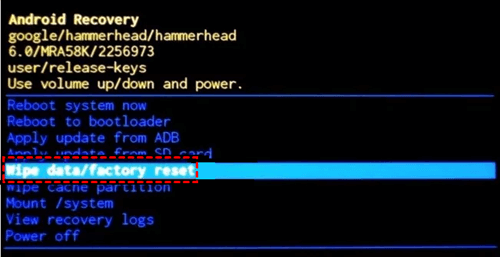
Step 5. Confirm the reset. Once complete, select “Reboot system now”.
Frequently Asked Questions
Conclusion
Unlocking your Sprint phone without the password is achievable. Start with the official carrier unlock if you need to switch networks. For a forgotten iPhone passcode or Apple ID lock, FoneTool Unlocker provides a direct and user-friendly solution. For Android devices, use Google Find My Device or a factory reset. Always verify your situation and back up data when possible before proceeding.
Need to unlock your Sprint iPhone quickly? Visit the official FoneTool Unlocker website to download FoneTool Unlocker and start the process today.
FoneTool Unlocker - 1-Click iPhone Unlock Software
Easily unlock all passcodes and restrictions on your iPhone, iPad, and iPod Touch.
-
 iOS 27 Compatible
 iPhone 17 Supported
100% Secure

Kelsey is an English editor at FoneTool, passionate about helping users solve tech issues. She specializes in iPhone data management, backup, and recovery. In her free time, she enjoys learning IT skills and spending time with loved ones.
Read author info >>



 as a preferred
source on Google
as a preferred
source on Google